
Chat
Chat with the best AI models — agent-enabled and cross-vendor
How can the chat be used?
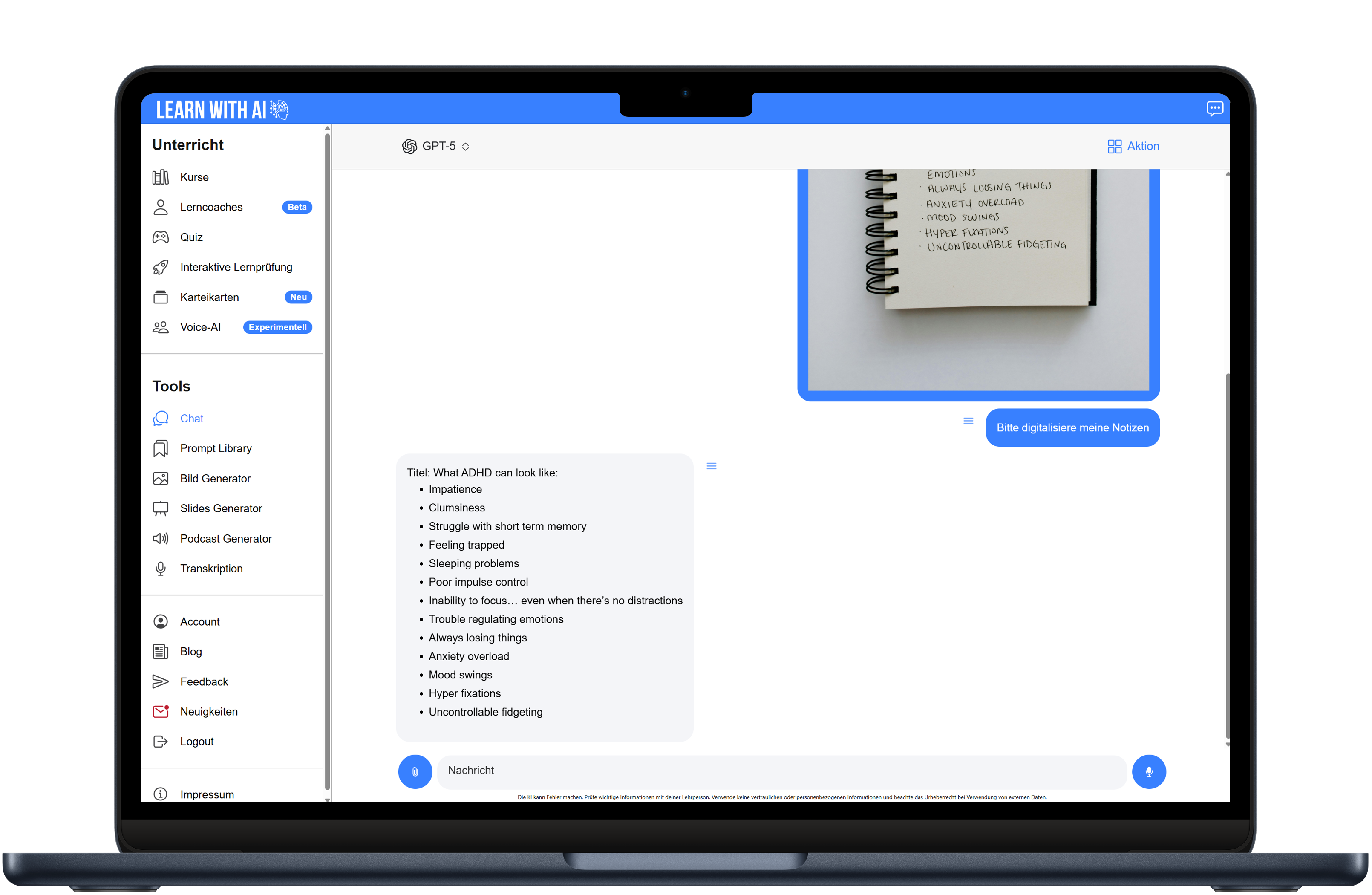
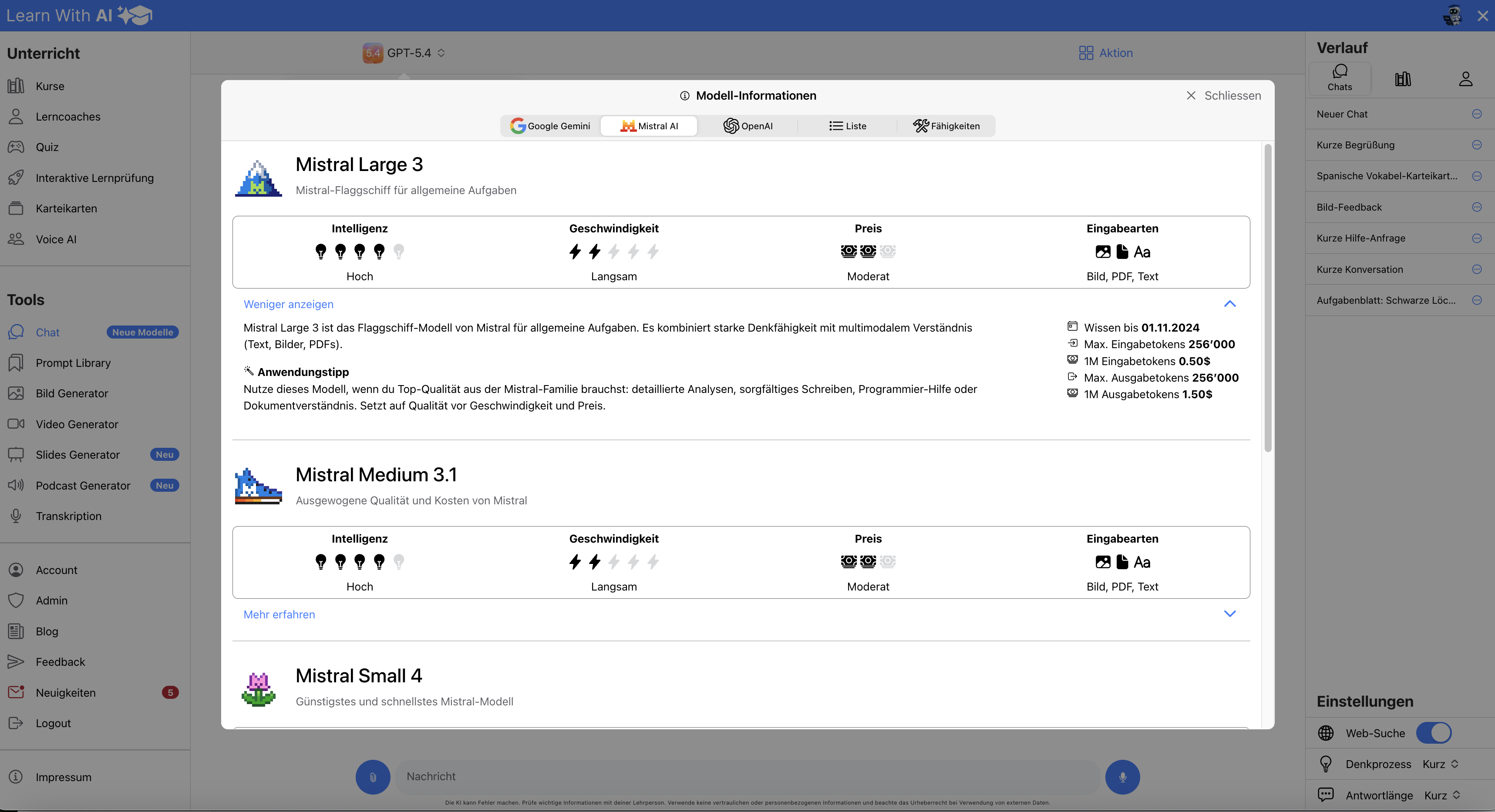
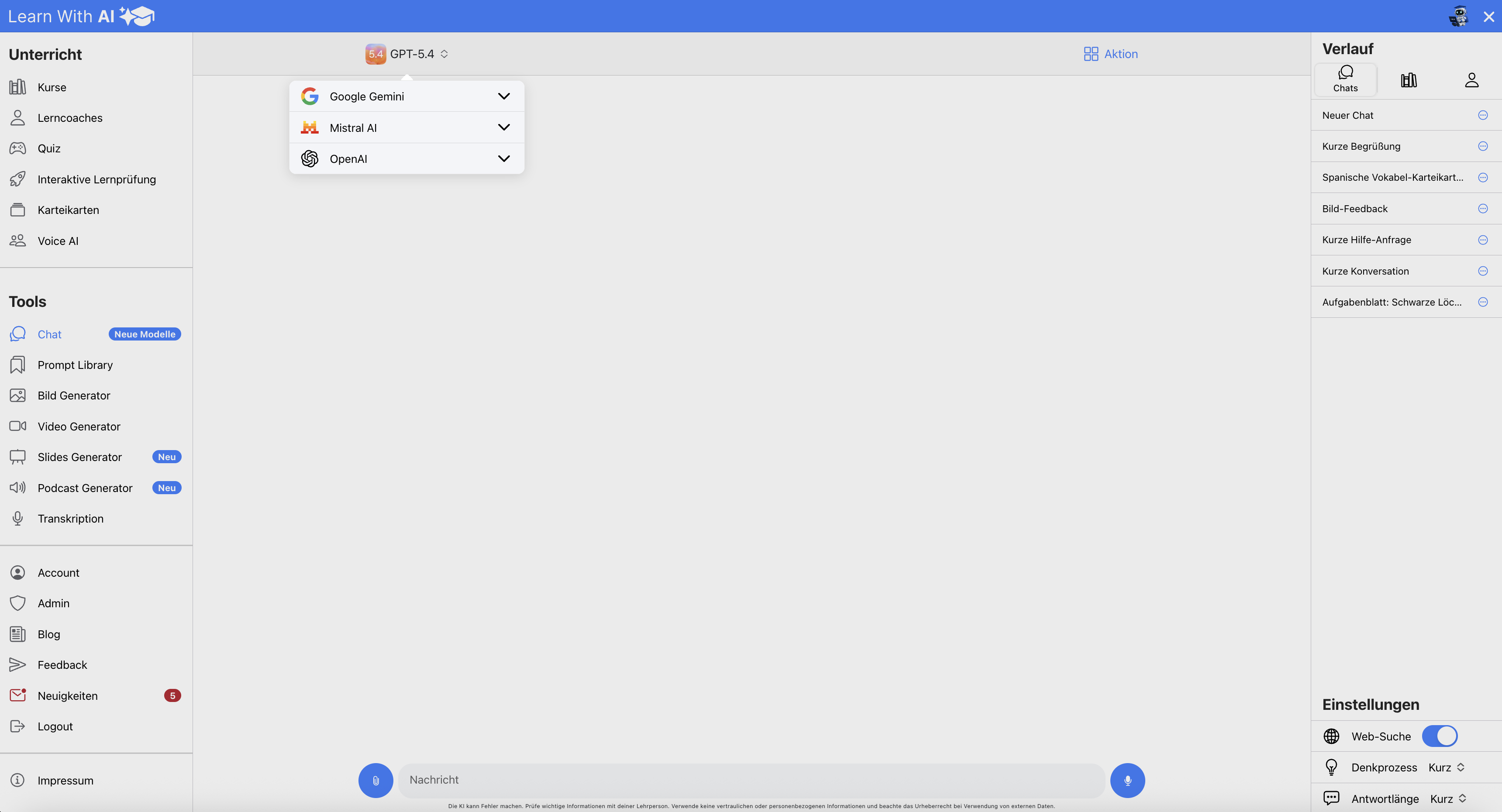
Learn With AI's chat gives you maximum flexibility and can be used for a variety of purposes. You choose from powerful models from several providers: OpenAI (e.g. GPT-5.2), Mistral AI (European provider with a focus on data protection and transparency) and Google Gemini (works with video, audio, YouTube videos and various files, among other things). With “Learn more”, you can see which model supports which functions at any time.
The chat is agent-enabled: The AI can independently use several tools one after the other — web search, file search and the Python tool for reliable calculations and data analyses. You can create files directly in the chat and download them as Word, Excel or PDF, evaluate PDFs including embedded images, and analyze Excel files with multiple spreadsheets. While the AI is working, you can see a summary of its considerations (reasoning summary) and transparent which tools it is currently using.
Depending on your needs, adjust your thinking level (from “instant” to “maximum”) or creativity, export chat logs as a Word or PDF document, or delete the chat history.
Another advantage: The chat promotes equal opportunities, because everyone has access to the best AI models currently on the market.
Benefits
- Access to powerful models from multiple providers (OpenAI, Mistral AI, Google Gemini)
- Agent-enabled: AI automatically uses several tools one after the other
- Create files directly in the chat and download them as Word, Excel or PDF
- Read and analyze PDFs including images and Excel files
- More reliable calculations thanks to automatic Python tool usage
- Web search with all models for up-to-date information
- Transparent use of tools and insight into AI considerations (reasoning summary)
- Flexibly adjustable level of thinking and creativity
- You strengthen your AI skills and prompting
- Learn when which model and which configurations make sense
Usages
Can be used in a very wide range of ways:
- Quick information retrieval — even with current web search
- Create task sheets and learning materials and download them as a file
- Analyze, summarize and further process PDFs and Excel files
- File creation: Excel, PDFs, and more
- Data analysis and reliable calculations with the Python tool
- Correction aid
- Brainstorming or sparring partner
- Solving complex tasks in a structured way using multi-level tools
- Many other uses
- Promotes equal opportunities as all learners can access the same AI models
No video available yet
Gallery