

The most important things at a glance
- 🗣 Learning coaches: File upload for correction assistance, summaries & data analyses, etc.
- 🤖 Voice AI (experimental): Learning languages, role-playing games, communication training
- 📊 Presentation generator: Creation of PowerPoints including pictures & speaker notes
- 🔊 Podcast: Set scripts/PowerPoints to music, check learning content from podcasts with quizzes
- 🎙️ Transcription: Interviews and oral Transcribe exams (including Swiss German)
- 🎮 Quizzes: Create up to 100 pages from PDFs, and Kprim as a question type
- 💬 Chat: New models (o1), new design & voice recording for macOS/iOS
- 🔖 Prompt Library: Placeholder import/export & AI model can be selected
- 📚 Classes: Improved overview with context menu
We have implemented the following new features for you:
🗣 Learning coaches
- file upload - your learners/students can now hand over files to the learning coach
- 💡 Tip: The learning coaches can therefore be used as assistants in a variety of ways. Inspiration:
- As a correction aid: Set the criteria in behavior and upload one file after the other in the chat (not in the knowledge database) and let the AI automatically rate them. ⚠ Attention: The rating must be checked by you for accuracy! An AI rating is only used to help you with the evaluation process. We would be happy to provide you with a suitable prompt.
- Assistant to summarize PDFs
- Assistant to check that your files are up to date
- 💡 Tip: If you want the learning coach to also be able to analyze data (e.g. Excel files), then activate the code interpreter in your learning coach's settings
- 💡 Tip: The learning coaches can therefore be used as assistants in a variety of ways. Inspiration:
- Redesigned overview (with search and sorting)
- Usage statistics made more concise
🤖 Voice AI (experimental)
- Voice AI is experimental, only available via a special link and only for teachers: If you want to get involved and access Voice AI, get in touch with us.
- 💡 Tip: The AI can be configured using the cogwheel.
📊 Presentation generator (slides generator)
- Powerpoints can now be created automatically, including images and speaker notes, based on topics or content such as scripts, books, etc.
- 💡 Tip: We recommend using scripts/texts, as this allows the focus of the content of the presentation to be more clear than simply defining the topics using keywords.
- 💡 Tip: From the generated speaker notes, you can create a podcast with the Podcast generator (text to speech) Have it created and set your presentation to music directly.
🔊 Podcast generator
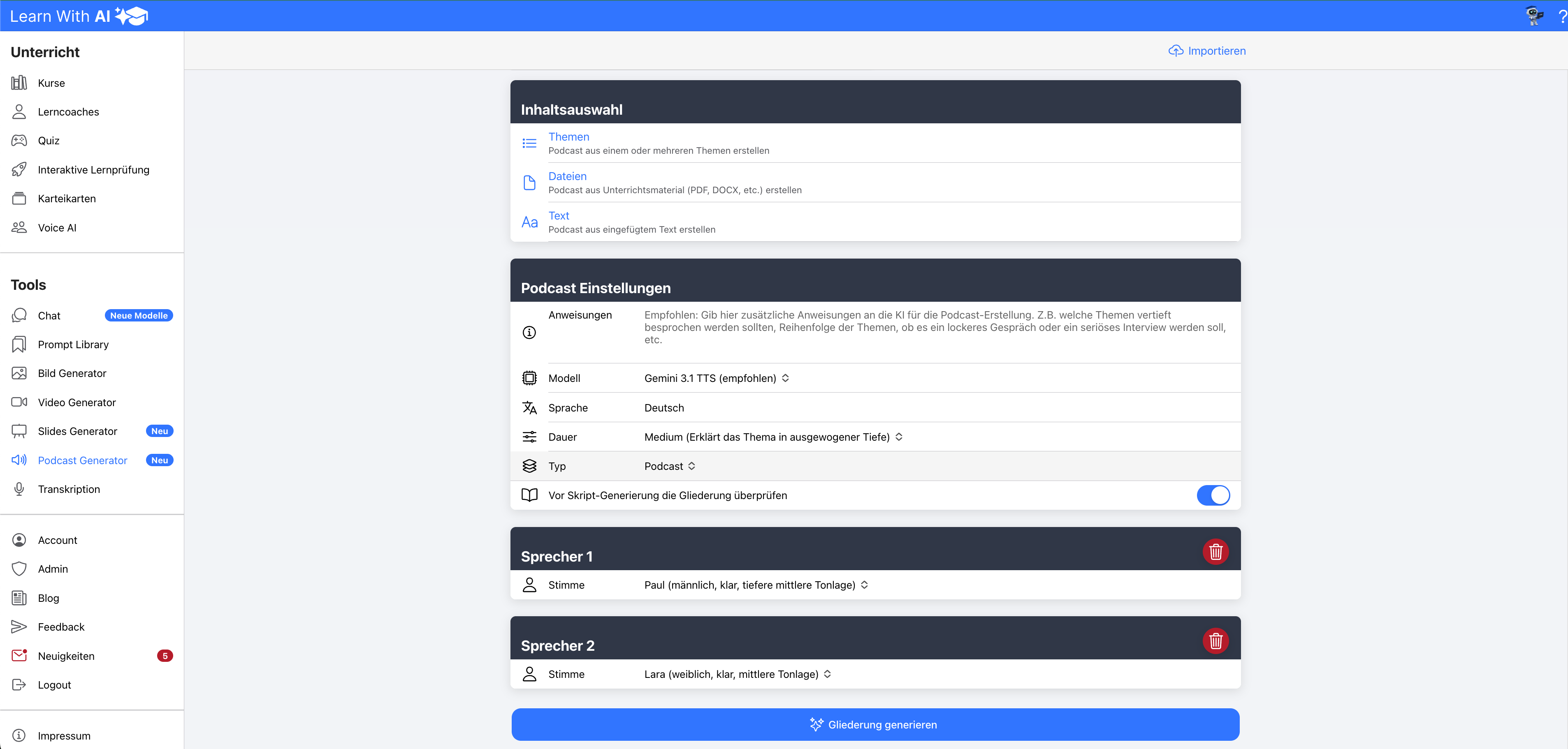
- You can now add audio to your scripts and PowerPoint slides
- 💡 Tip: Create a podcast for your learners and test their knowledge of quiz
🎙️ Transcription
- Your learners can now easily have recorded interviews transcribed, e.g. for diploma or advanced theses. Swiss German is also possible.
- Another purpose is, for example, the recording of oral exams
- Here, the audio should be recorded separately and uploaded later.
🎮 Quizzes
- Quiz creation now with PDF from over 100 pages potential
- 💡 Tip: Create your quiz based on your teaching material
- All common file types can be imported
- PowerPoint
- Word
- etcetera
- All common file types can be imported
- 💡 Tip: Create your quiz based on your teaching material
- Kprim-MultipleChoice type selectable
💬 Chat
- Redesign
- Voice recording with macOS and iOS is now possible
🔖 Prompt Library
- AI model can be re-selected in the Prompt library
- Placeholders entered are saved in local storage
- Import and export placeholders (easy sharing with other teachers)
📚 Classes
- Context menu overview
⚙ Miscellaneous
- OpenAI error messages are now displayed.
- Previously, OpenAI did not display any error messages, but always “An unexpected error has occurred.”
- This will make it easier to assess in the future whether an error is an error with Learn-With.AI or OpenAI trades.
.png)