
Just imagine: At 22:00, your learners will have a question about exam preparation. Instead of waiting for your answer, they open the Kurschat — and immediately get a well-founded explanation based on exactly the materials you've uploaded.
This is now possible with Learn With AI.
What Kurschat solves for you
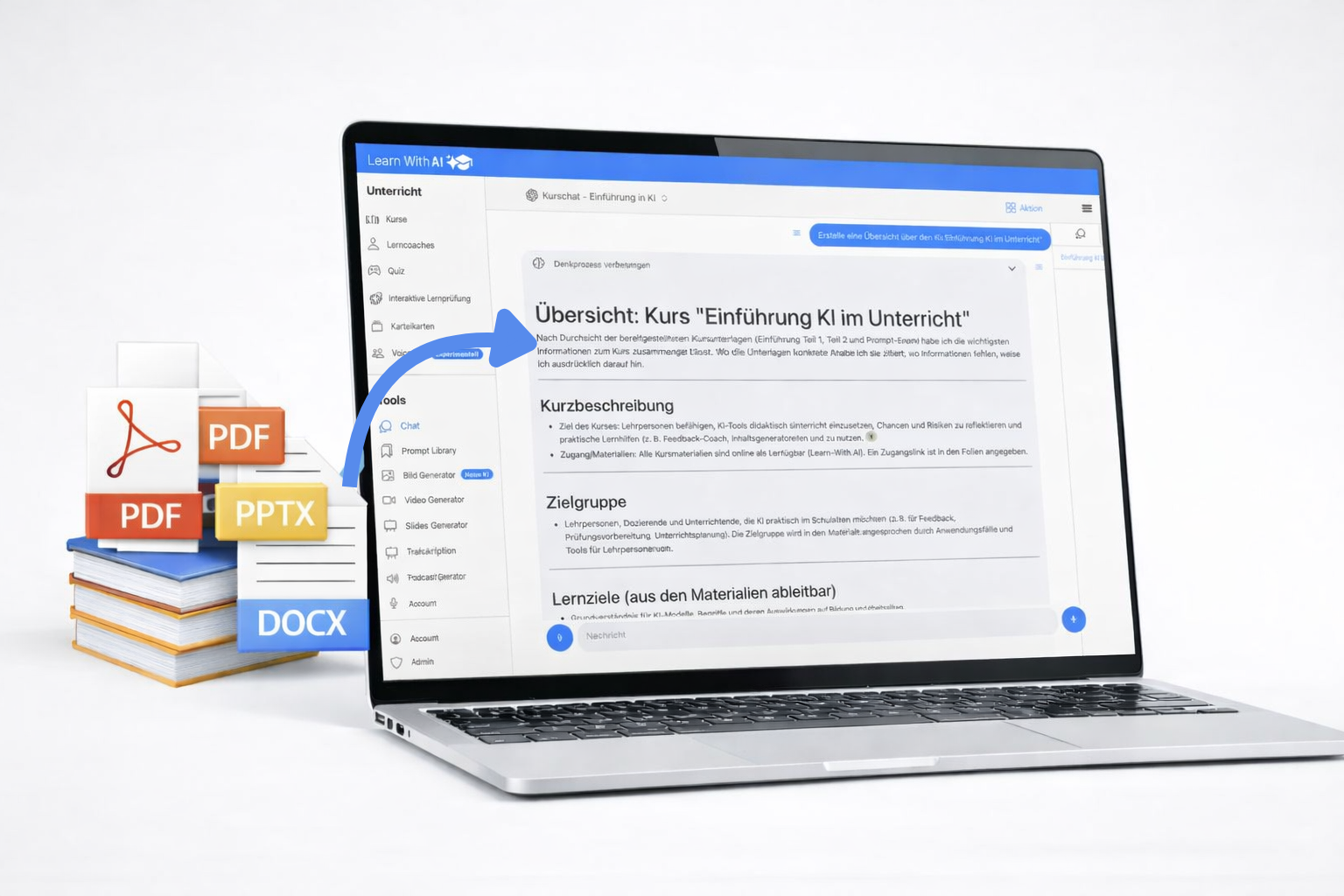
Until now, it was time-consuming to provide learners with AI that is actually based on your lesson content. The Kurschat changes that: You upload your PDFs, presentations, and assignments — and the AI only answers on that basis.
In concrete terms, this means:
- Learners receive explanations that match your lesson
- Not generic ChatGPT answers, but content from your documents
- Quotes and references show where the information comes from
What AI can do
Kurschat is not a general chatbot. He is focused on a specific course block and can:
- Explain content — prepare complex concepts from your documents in an understandable way
- Answer comprehension questions — even those who do not dare to face learners
- Verify knowledge — through specific questions or exercises
- Indicate sources — with references to the specific documents
How to set up Kurschat (5 minutes)
- Create a course — e.g. “artificial intelligence”
- Add course block — e.g. “Introduction to Artificial Intelligence”
- A course block is a self-contained unit of your lesson
- Uploading materials — PDFs, presentations, Word files (please note copyright)
- Activate Kurschat — one click is enough
- testing — via “Chat with course materials”
- parts the link to the course with your learners via “Action” —> “Share”
💡 Tip: upload all files before You activate Kurschat. In this way, everything is synchronized in one step — which saves time.
Pro tip: Kurschat as a working tool for you
You can also use the Kurschat for yourself:
Set up a private course and use it as a project. Collect your materials, have summaries prepared, check content for updates or develop new tasks — all in dialogue with your own documents.
For teachers: full control
In the teacher view, you determine:
- For which course blocks the chat is active
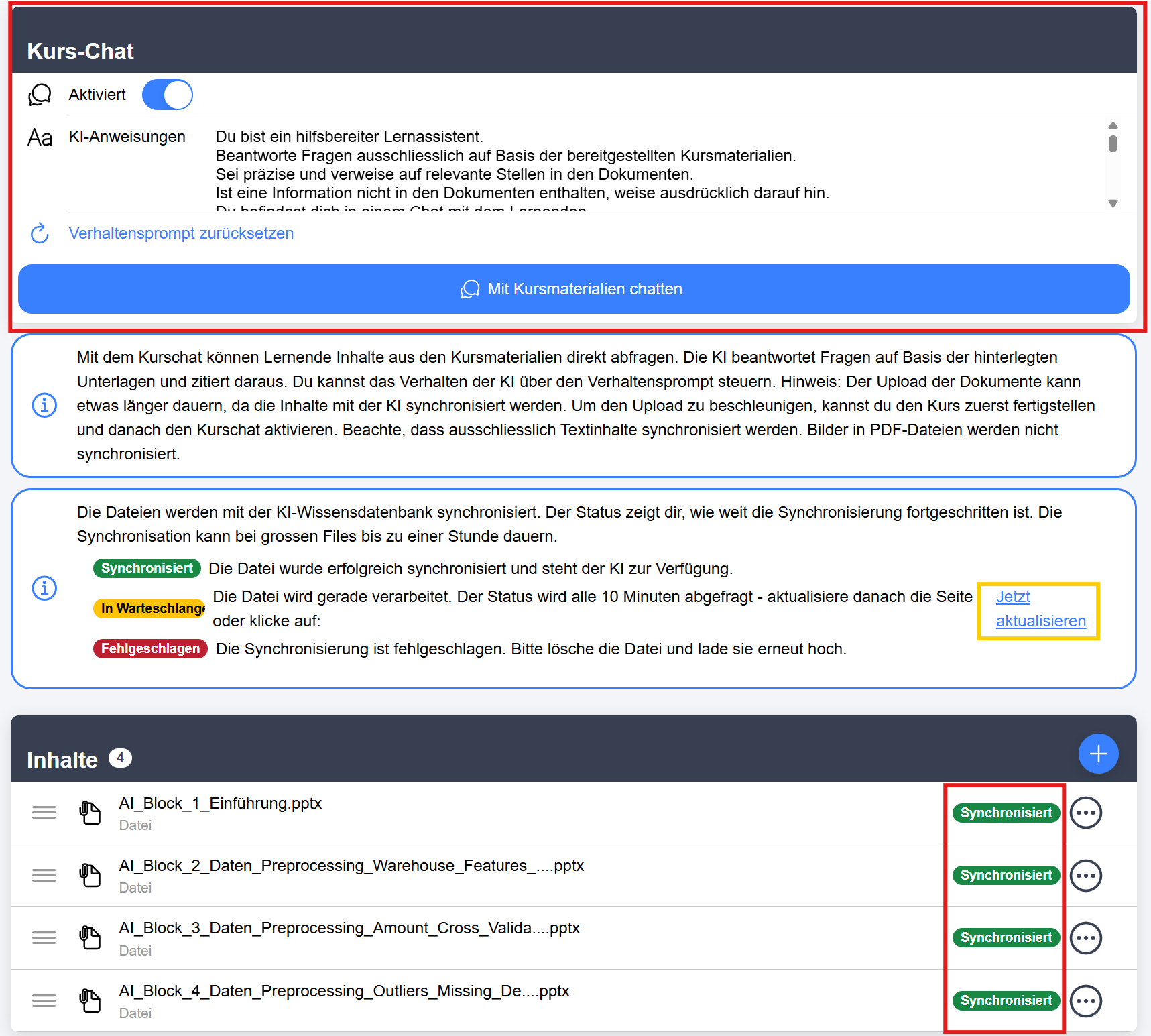
- How the AI should behave (we have an optimized default prompt, but you can adjust it if needed)
- Who has access (via classes and access keys)
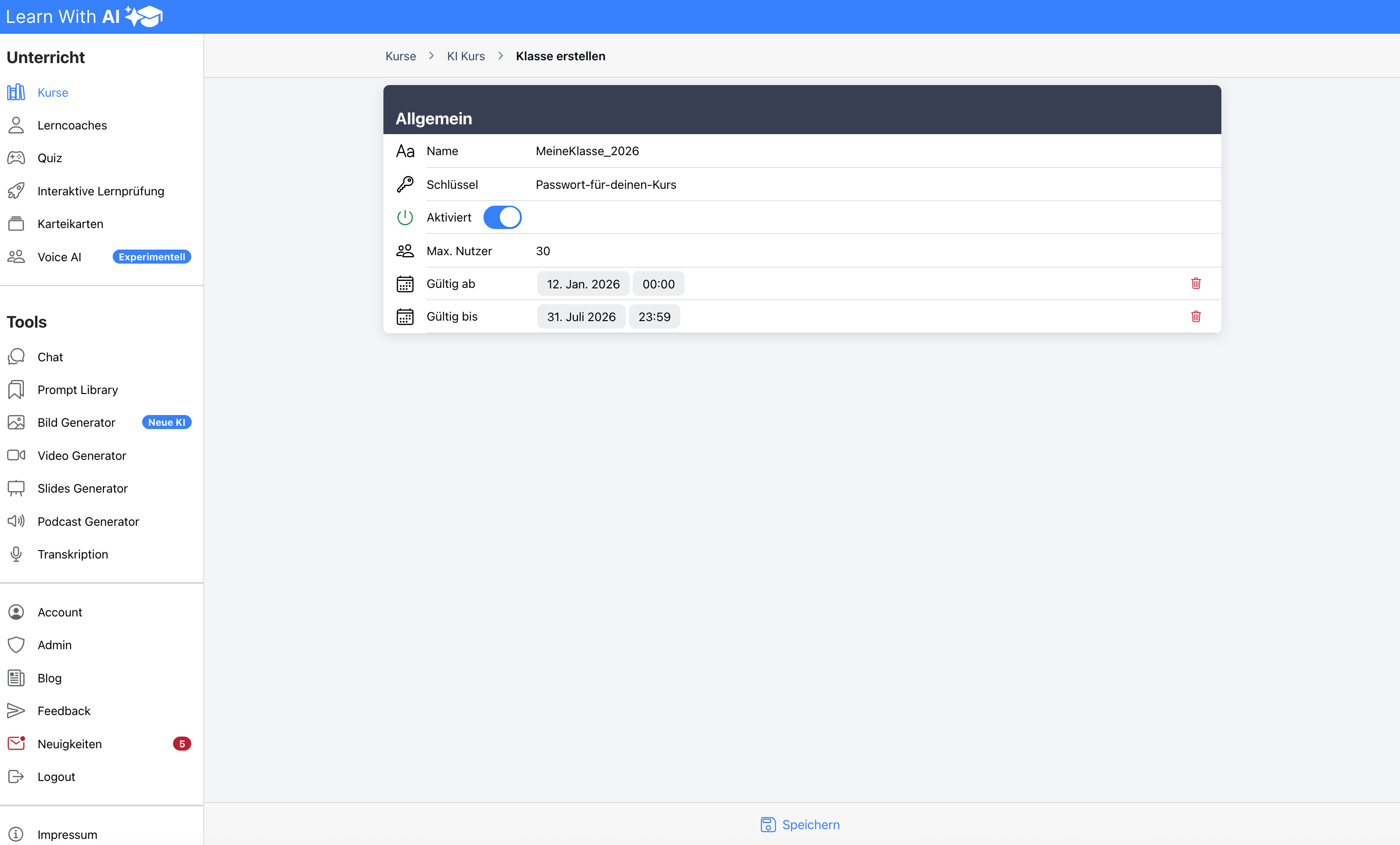
Control access: With classes, you determine who gets access and when. Name, password, maximum number of users and validity period — everything can be set.
Traffic jams: Each file has a status that shows how far the synchronization with the AI has already progressed. The status is automatically queried every 10 minutes and is restarted if necessary. You can also update the status manually by clicking “Update Now.” You can find more information directly in the app.
Good to know: Limitations
- Supported formats: PDF, Word, PowerPoint, text files
- Important: Only text in PDFs is read. Images or text-as-image cannot be processed at this time.
For learners: Just get started
Learners see the activated course chat directly in the course block. You can click on the “Chat with course materials” button and:
- Ask questions
- Have content explained to you
- Have summaries created
- Check your knowledge
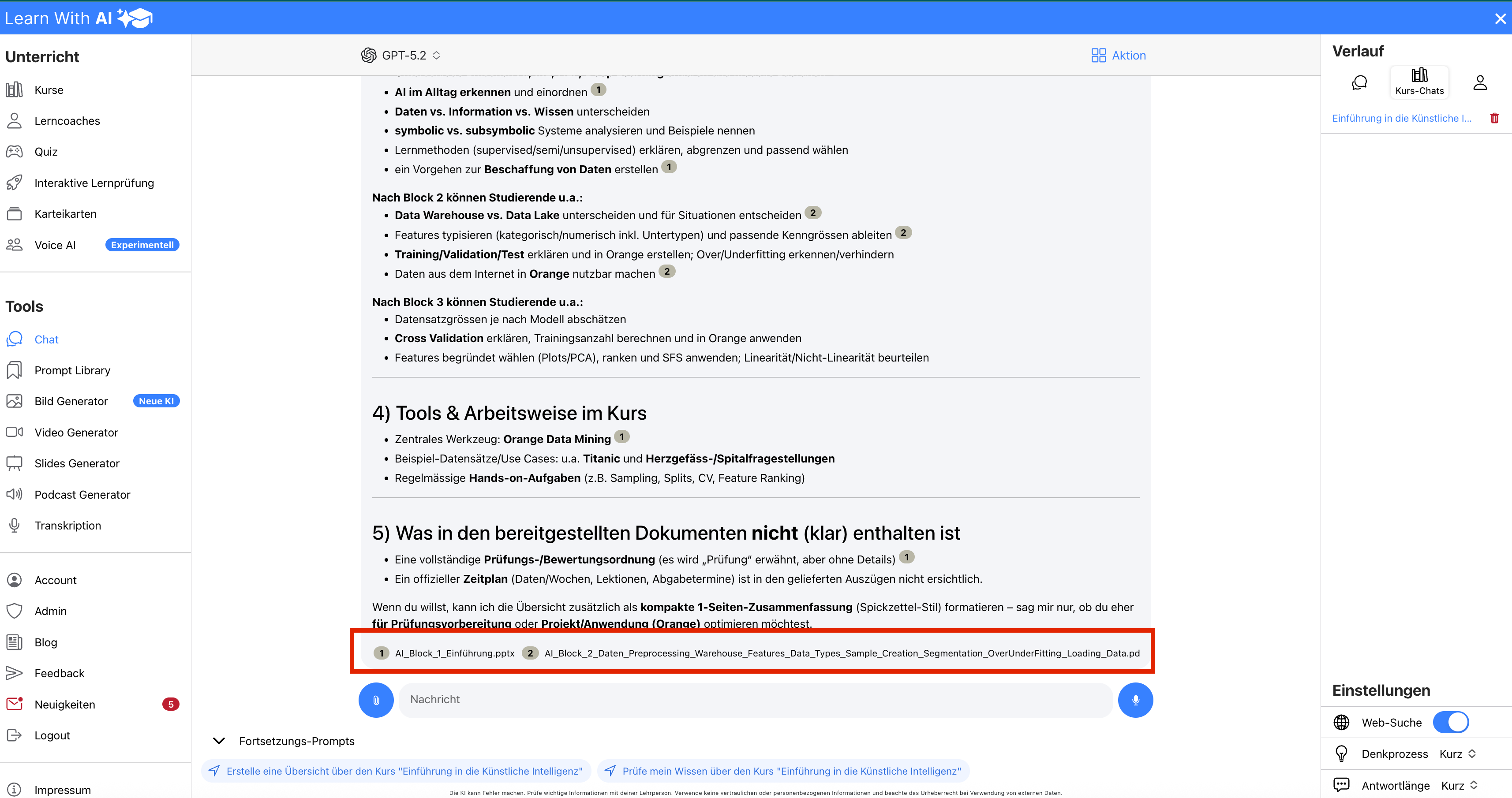
The chat shows which documents contain information. In this way, it remains transparent what is in the documents and what is not.
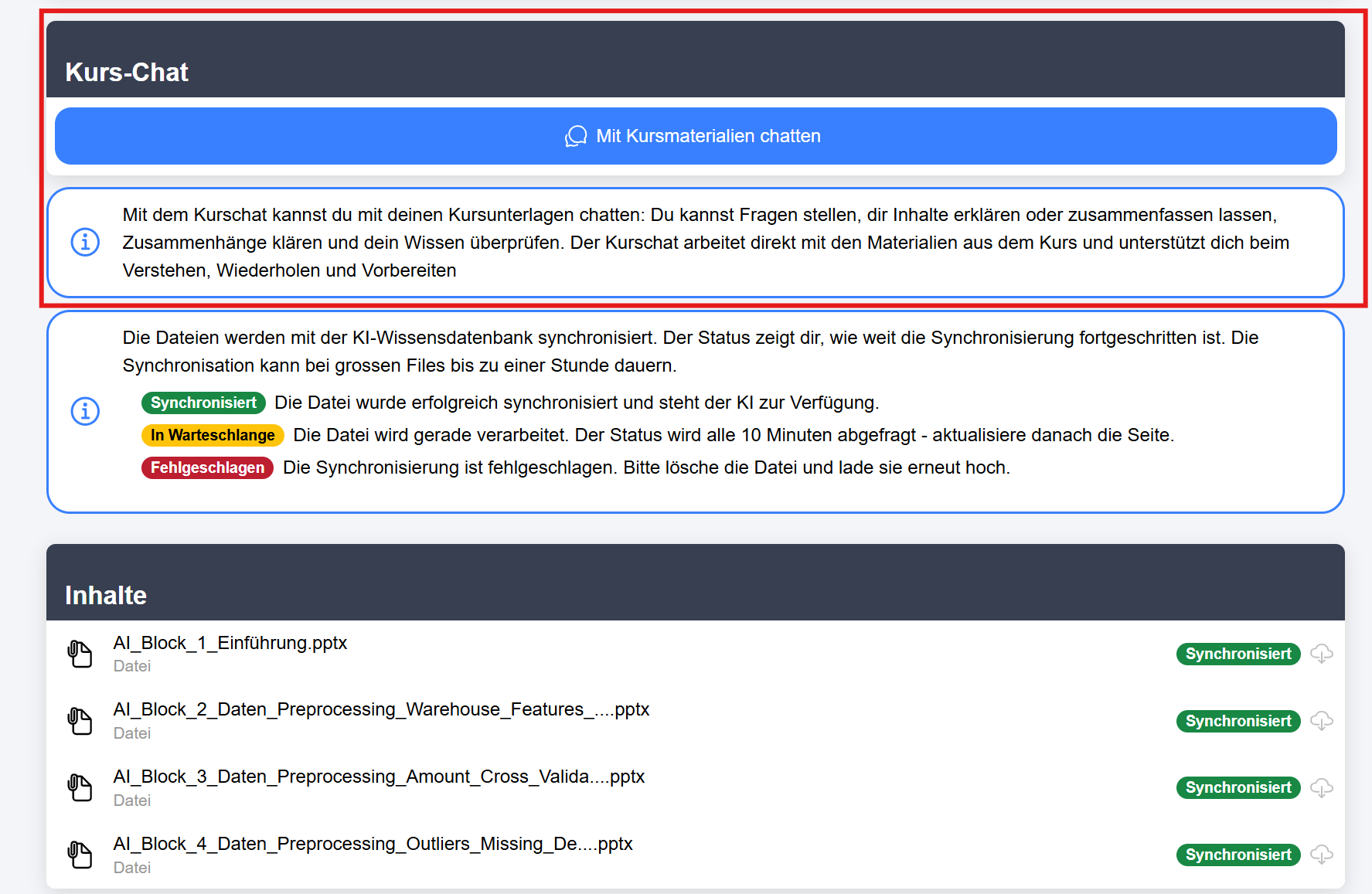
This is what the chat looks like for learners
Learners work directly with your course materials:
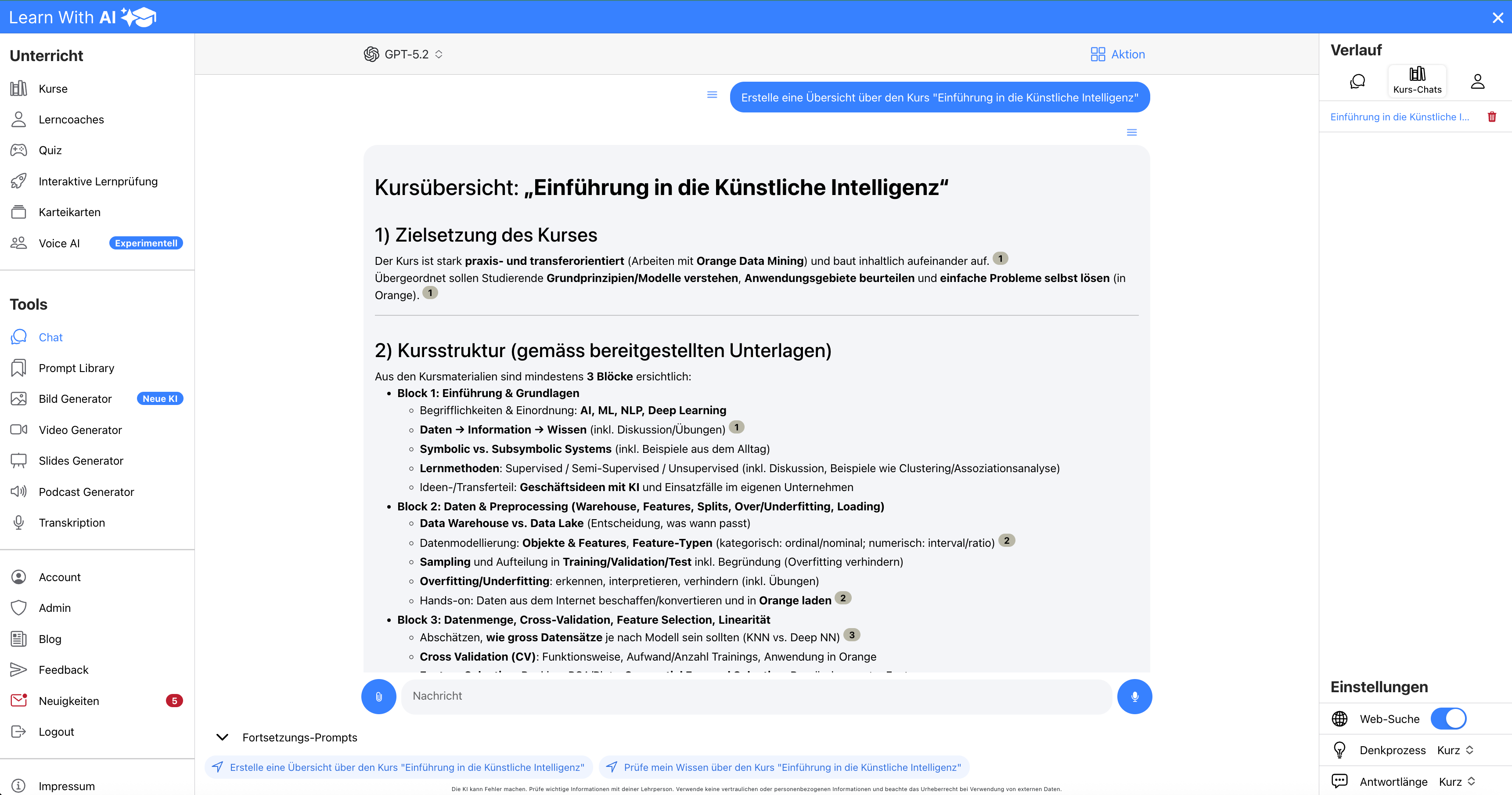
Transparency: Where does the answer come from?
The Kurschat shows which documents the information comes from. This allows learners to understand what statements relate to and you retain control over what is being conveyed.
Control access: Who can enter?
You decide who can see your course. You control access via classes and access keys: Ideal for different study groups or limited-time courses.
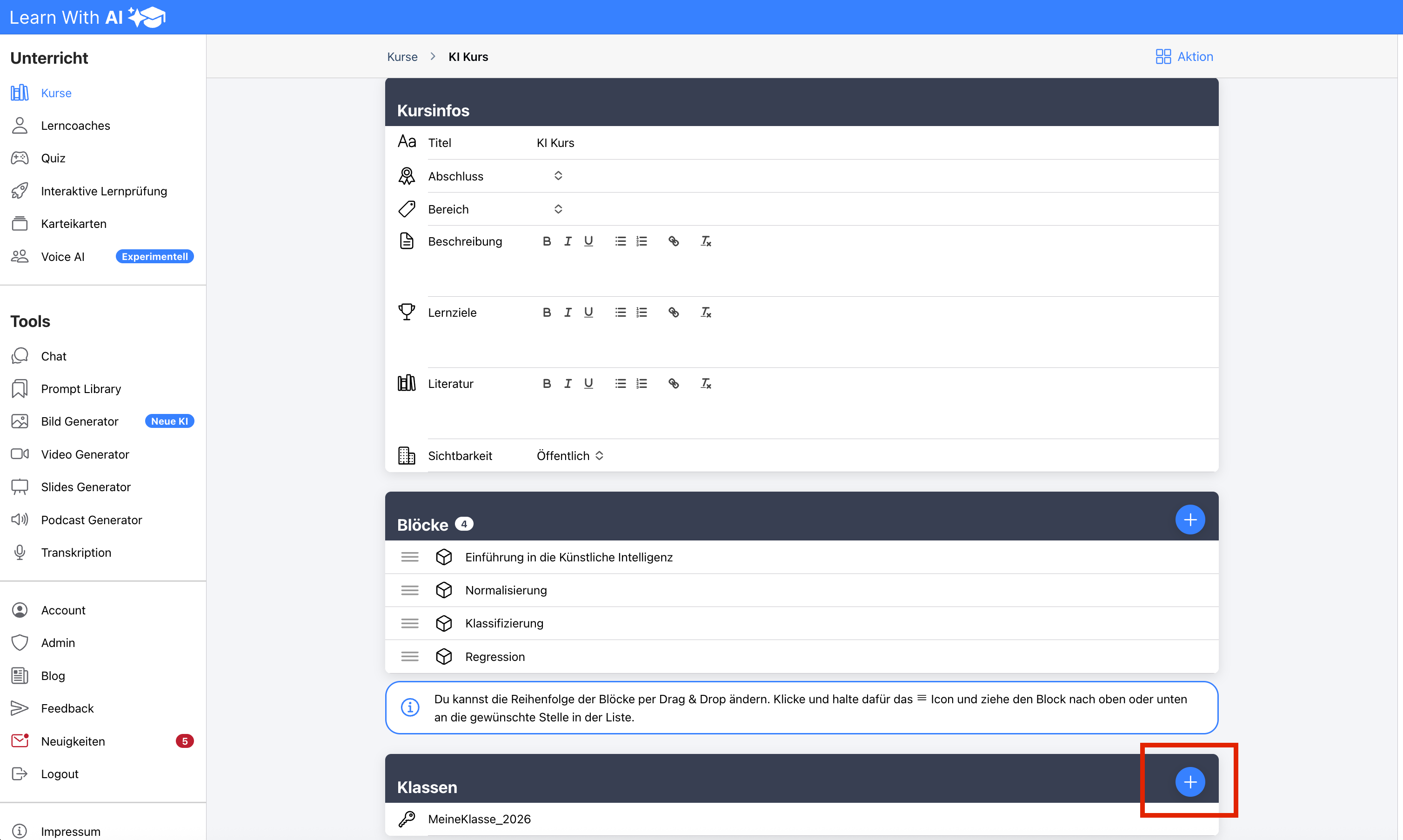
Here's how:
- Click on the (+) button to create a new class
- Give a name and password (= key)
- Optionally set: maximum number of participants, start date, end date
- Save — done
Your learners use the key to enroll themselves in the course.
Try it out now
The Kurschat is now available. Create your first course, upload your materials — and see how your learners work with your content.
Do you have a feature or improvement request?
Enter it in our feedback tool at any time and vote for requests from others that you also find valuable: 👉 https://app.learn-with.ai/feedback
Share this post with teachers and students and help us develop Learn-With.AI together.
.png)