
Imagine you no longer had to know where in the platform you create something – but simply say what you need. For example: «From this PDF, create two quizzes, a flashcard set, and a learning coach on the topic of photosynthesis.» The Learn With AI Agent does exactly that.
The Agent is available on every page and takes care of repetitive tasks for you. You remain in control at all times.
Key Highlights
- Always available: via the button in the top right of the header – on every page
- You describe, the LWAI Agent creates: Courses, course blocks, quizzes, flashcards, learning coaches, feedback coaches, learning assessments, and Voice AIs
- Create multiple things at once: e.g., «two quizzes, a flashcard set, and a learning coach» in one request
- From your files: upload a PDF or document – the Agent creates content from it
- Suggestions to get started: ready-made example sentences to click
- Plan for confirmation: For larger tasks, he'll first show you his plan
- Helps with form completion: on editing pages, the LWAI agent fills in the fields for you – saving only happens when you choose
Table of Contents
- What is the Learn With AI Agent?
- How to get started
- Content from your own files
- Multiple content items in one task
- What the agent can create for you
- Plan first, then execution
- Assistance with form completion on editing pages
- We are continuously developing the agent – your feedback is important
- Try it now
What is the Learn With AI Agent?
The Learn With AI Agent is an AI assistant that works directly within the platform. It understands what you want to achieve and performs the necessary steps itself – instead of you clicking through menus.
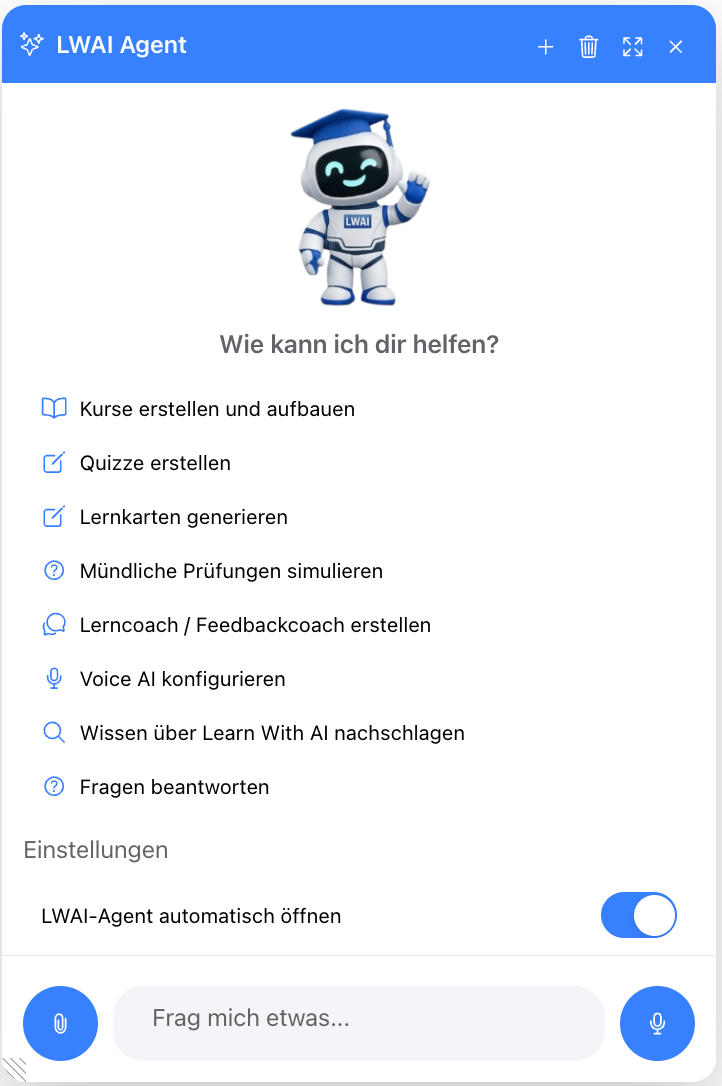
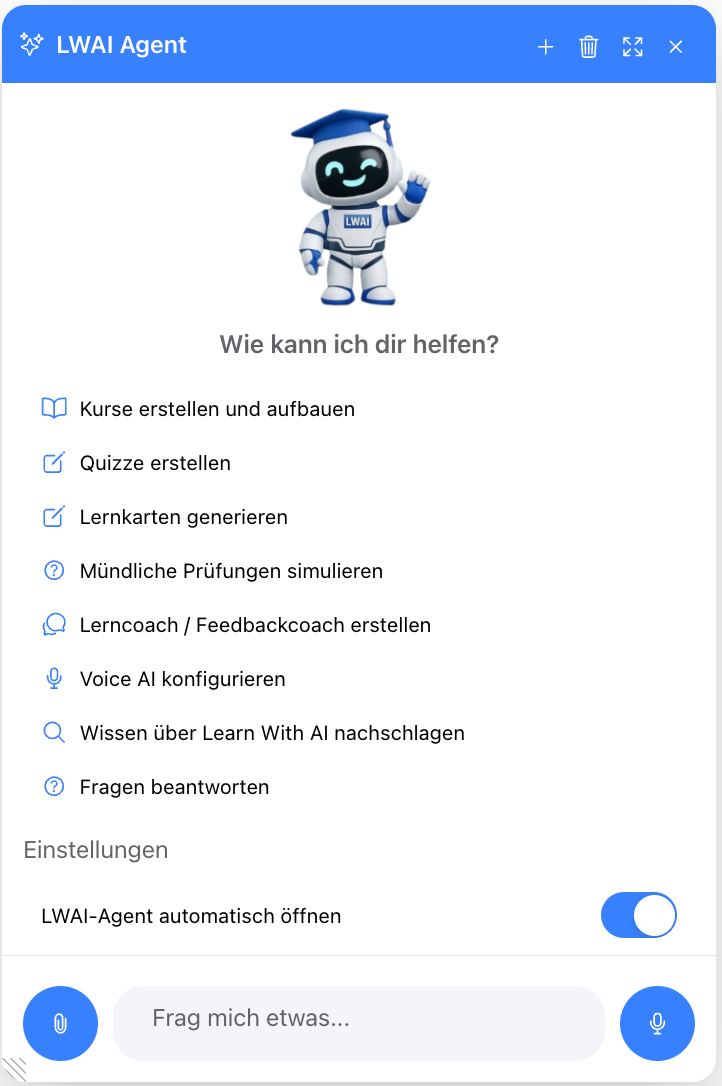
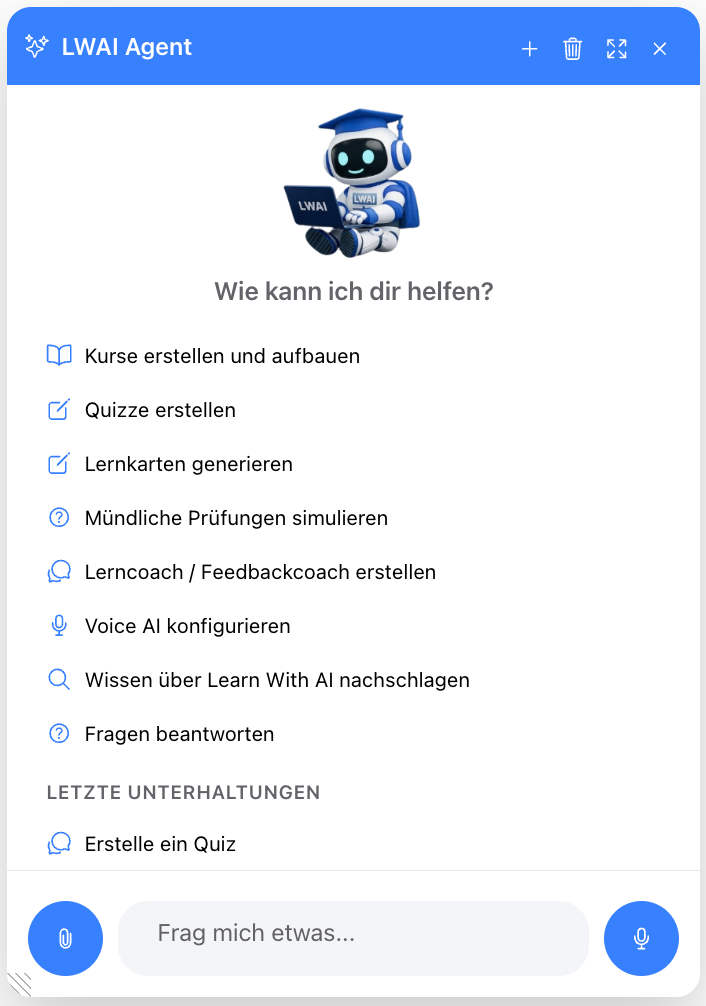
You can reach it anytime via the button in the top right of the header. A click opens the chat window, which you can freely move, enlarge, or use in full screen. Previous conversations are retained in the history panel.
How to get started
When you first open it, the agent will suggest ready-made example sentences that you just need to click. This way, you don't have to think about how to start – one click is enough, then you simply add the topic. For example:
- “Create a course about the French Revolution with three chapters”
- “Create a quiz about the water cycle with ten multiple-choice questions”
- “Create flashcards about the most important vocabulary from Unit 4”
- “Create a learning coach for Mathematics, Secondary Level I”
- “Create a practice exam on photosynthesis”
- “Create a Voice AI for a job interview in English”
- «What do I use in Learn With AI for my history subject?»
But you can also write freely or simply speak your request – the agent automatically converts it into text.
Content from your own files
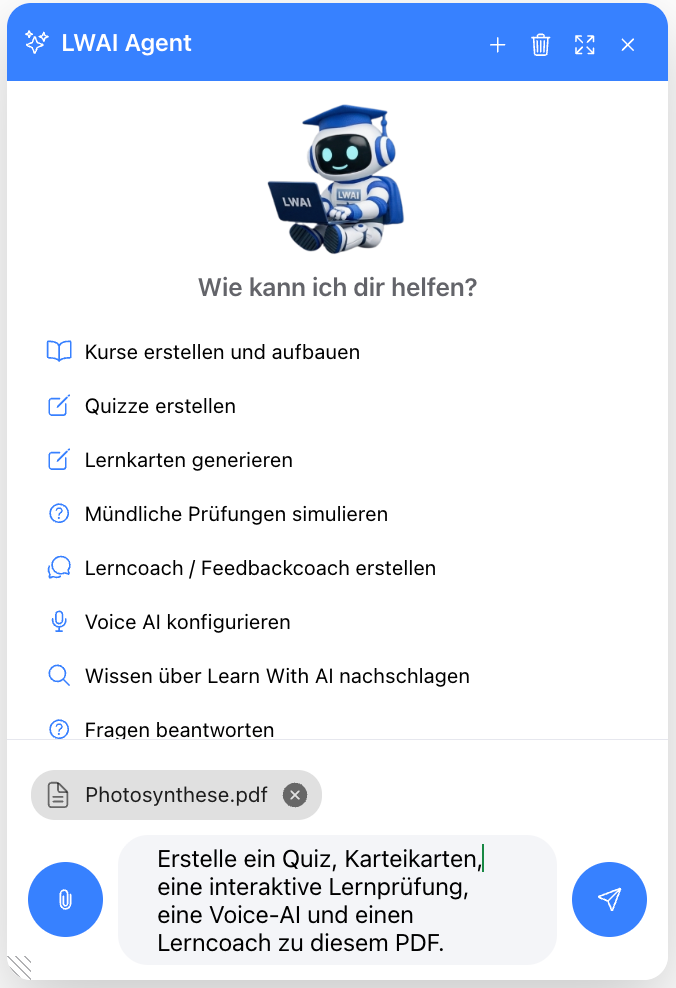
Especially practical: You can provide the agent with your own documents. Upload a PDF, a Word document, or a presentation and say, for example: «Create an eight-question quiz and a flashcard set from this script.»
The agent reads the file and creates content precisely tailored to your material – you don't have to type anything out or summarize.
Multiple content items in one request
You don't have to submit each task individually. Tell the agent in one sentence everything you need – for example: «For the topic of climate change, create two quizzes, a flashcard set, and a learning coach.»
The agent creates everything one after another. This way, you build a complete learning package in a single request, instead of creating each component manually.
What the agent can create for you
The agent can create and search almost all content in Learn With AI :
- Courses: Create courses, add chapters, and insert content like texts, quizzes, and flashcards into the chapters
- Quizzes: create new quizzes with open-ended or multiple-choice questions and find existing ones
- Flashcards: generate complete flashcard sets with questions and answers
- Learning & Feedback Coaches: create AI tutors and find existing coaches
- Learning Assessments: AI-guided, oral-style assessments for practice – ideal for preparation
- Voice AI: configure Voice AI agents, for example, for language training or conversation simulations
- Knowledge about Learn With AI: answer questions about the platform, such as which features are suitable for your subject
💡 The LWAI agent understands the difference between competency-based and knowledge-oriented learning and configures the learning coach to match your didactic goals.
Plan, then Execute
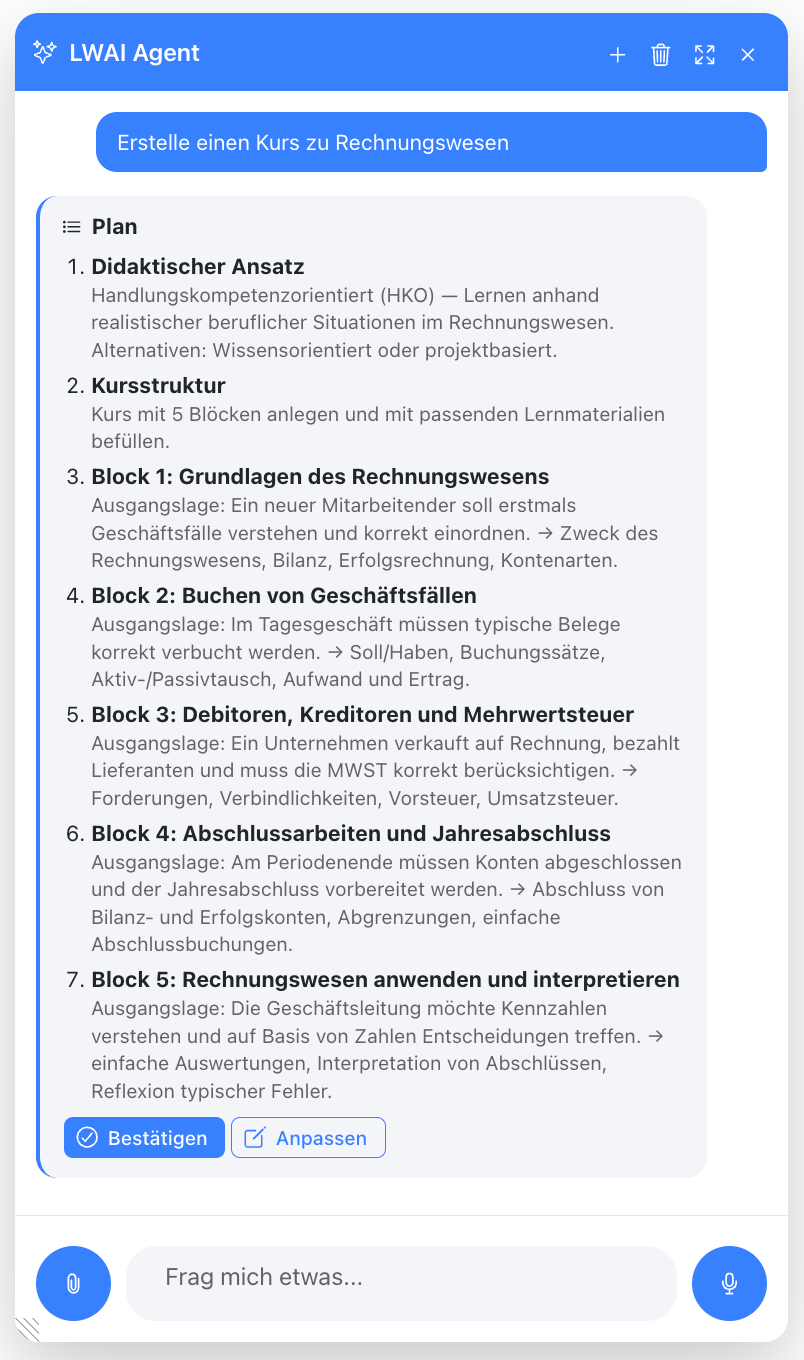
For more extensive tasks, the agent doesn't just dive in. It first shows you its plan.
You can confirm, adjust, or reject this plan. The agent only starts after your approval. This way, you remain in control even with larger requests.
Help with filling out editing pages
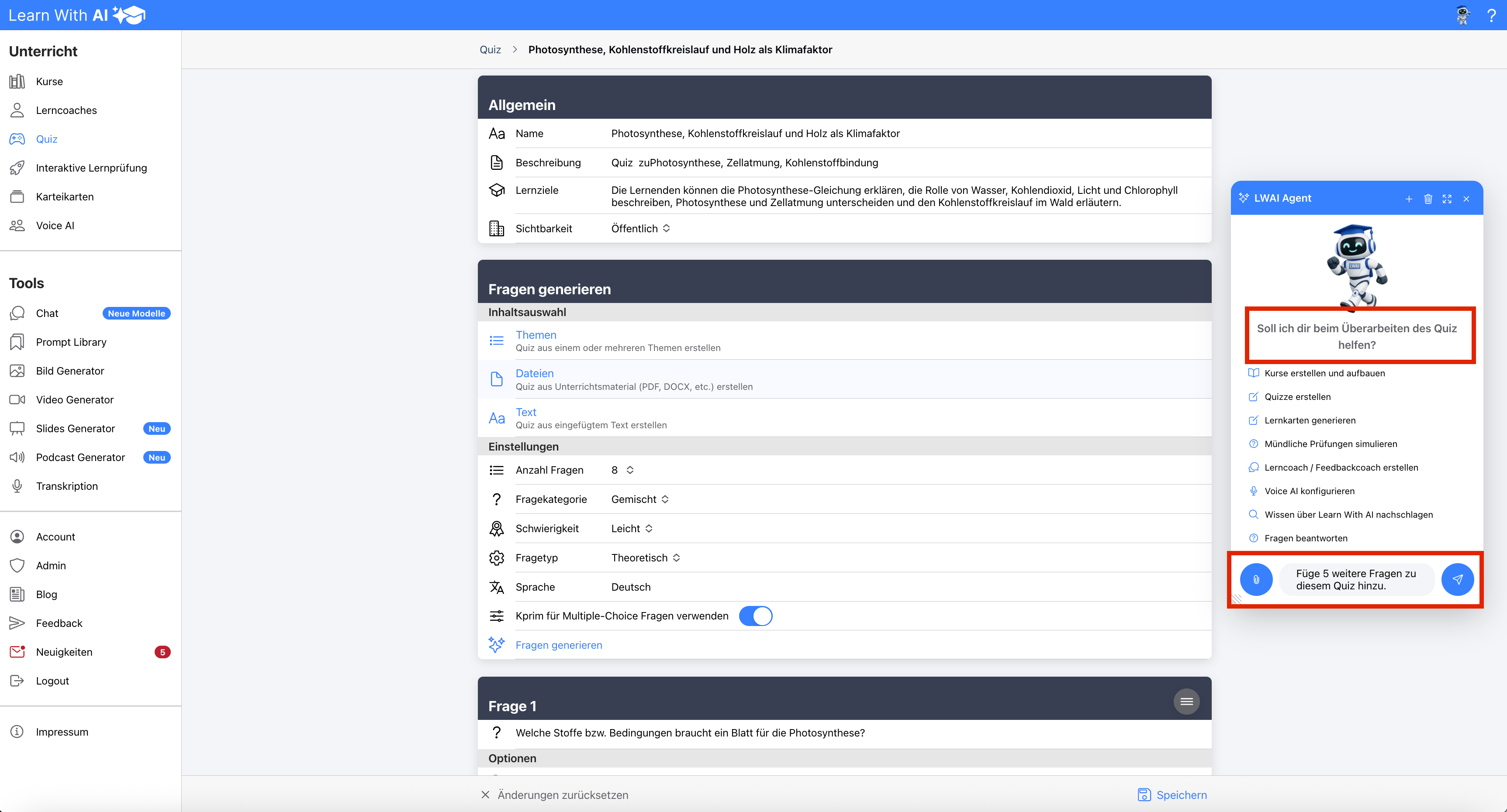
If you are currently creating a quiz, a learning coach, or a Voice AI, the agent offers targeted help – for example: "Should I help you create the quiz?"
If you say, "Yes, add five questions about photosynthesis," the agent enters these directly into the fields in front of you. You'll see the additions immediately on the page and can still adjust them. Nothing is saved automatically – you click "Save" yourself when everything is just right.
We are continuously developing the agent – your feedback matters
The Learn With AI Agent is being continuously developed. It can already do a lot today – and even more in the future.
To ensure we can tailor it precisely to your daily teaching needs, we rely on your feedback: If you're missing a feature or have a request, use the Feedback Tool in Learn With AI. This way, your needs directly influence the agent's further development.
Try it now
The Learn With AI Agent is ready to take work off your hands. Open it via the button in the top right, describe your goal or click an example sentence – and watch your content come to life.
.png)