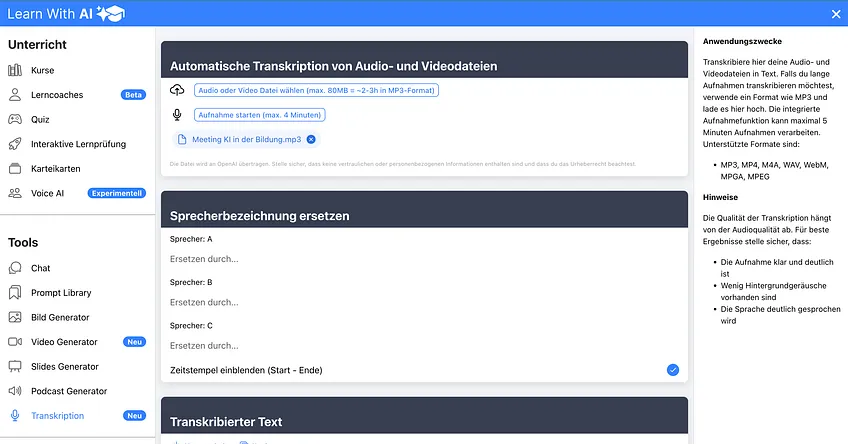
The transcription feature of Learn-With.AI has received a major upgrade:
From now on, the AI recognizes several speakers and automatically adds to their contributions names and timestamps — ideal for interviews, meetings or class discussions (also in Swiss German).
What's new?
Until now, the transcription has only produced a pure running text — without any recognizable speakers.
With the new update, you can now:
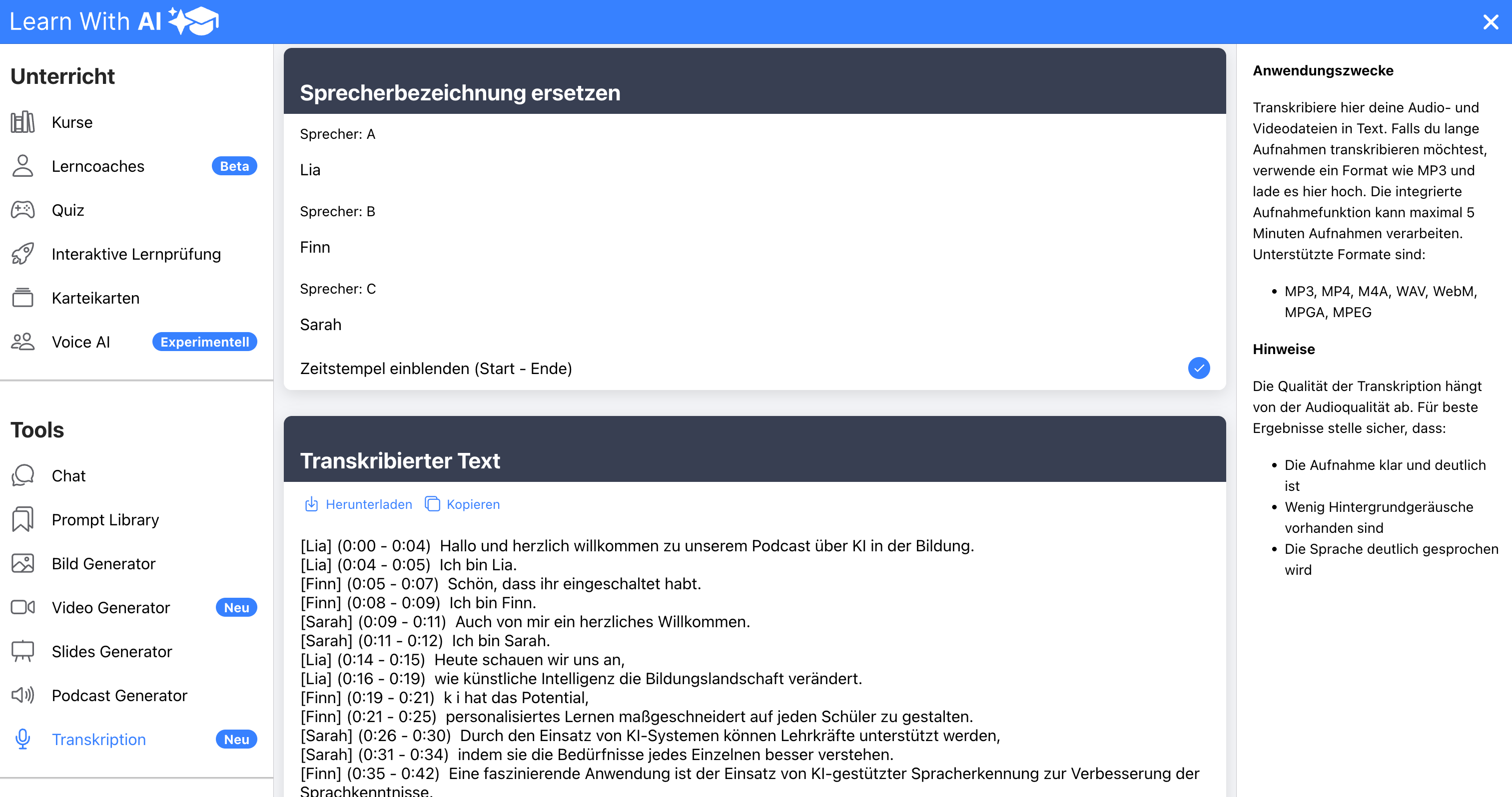
- assign individual names (e.g. Lia, Finn, sarah)
- View start and end times for each section
- Copy the result directly or download it as a file
- transcribe in multiple languages and dialects, including Swiss German
This turns a simple copy into structured, comprehensible interview protocol.
Transcribed text with placeholders for the names (A, B, C)
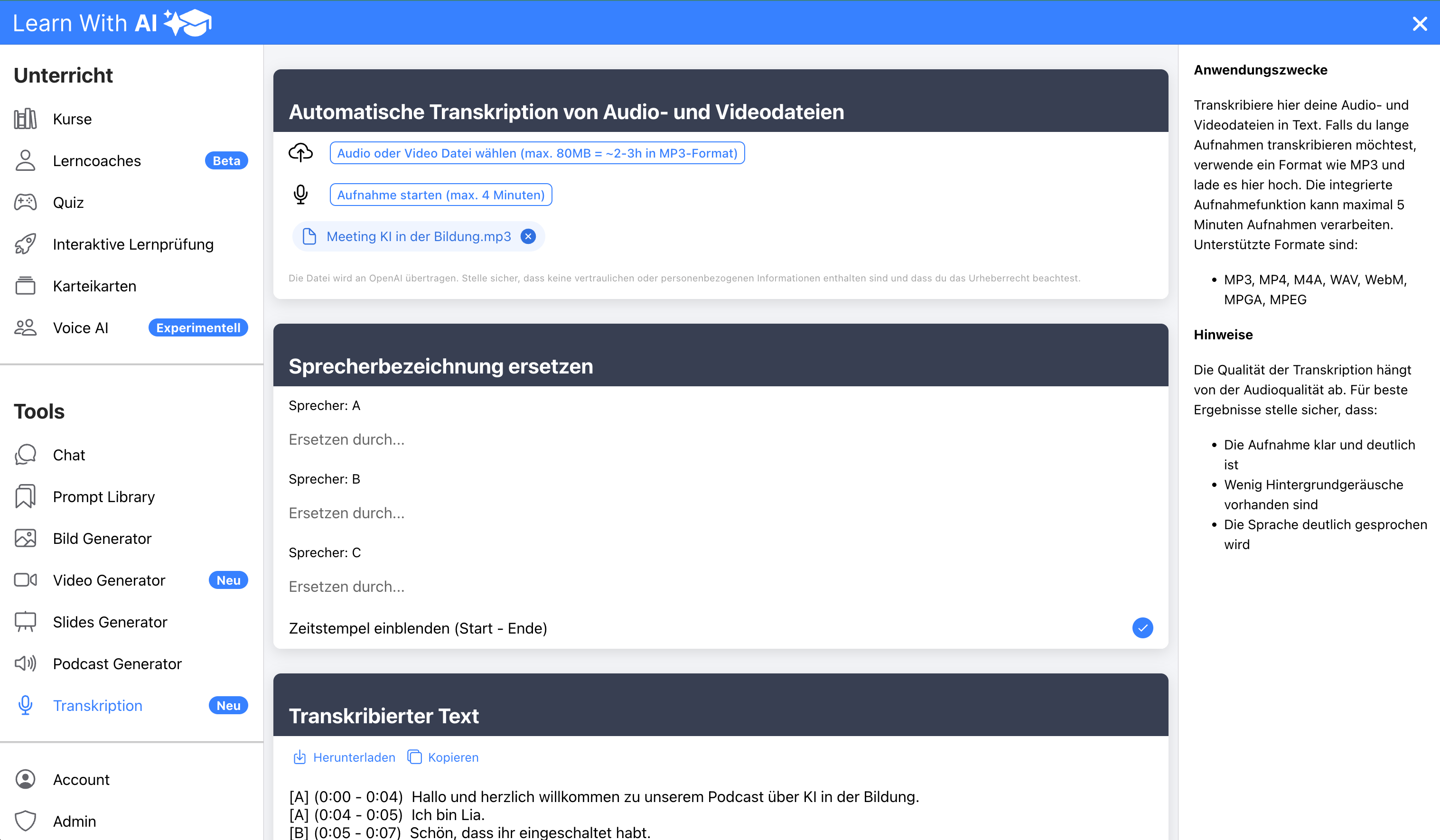
Transcribed text with real name:
Why is that helpful?
Especially in education and research, the new function saves a lot of time — and opens up new application options:
- Interviews, e.g. in theses No longer need to be manually typed
- meetings can be quickly reproduced and documented
- AI-powered learning content (e.g. quiz questions or role-playing games) can be generated directly from transcripts
- Knowledge management: Call logs can be created and stored within seconds.
- Auch Swiss German can be transcribed easily.
That's how it works
- Upload your audio or video file (MP3, MP4, WAV, M4A, etc.)
- Let the AI automatically transcribe the conversation.
- Replace the placeholders for “Replace speaker name”.
- If necessary, activate the Time display (start—end).
- Download the finished transcript as a file or copy it as text to your clipboard.