

Imagine that your learners have a realistic conversation, practice a specific situation and receive individual feedback immediately afterwards. That's exactly what you can now do with Voice AI in Learn With AI.
With the new update, you can evaluate conversations more specifically, create voice AIs faster and make them much more pleasant for learners to use. Here are the most important changes:
The most important things in brief
- Automated evaluation with individual feedback at the end of the conversation
- Have your voice AI behavioral prompt created or improved with AI
- 25 new Voice AI templates
- Latest and most powerful language model available
- Avatar can be saved
- Transcribing can be shown and hidden
- Language can be selected for transcription
- Significantly improved transcription quality
- Automated criteria creation for evaluation
- Sophisticated evaluation prompt automatically included
- Evaluation prompt can be overwritten in the “Advanced” area
- Better operation: press the space bar to talk and continue the conversation directly at any time
Automated evaluation with individual feedback at the end of the conversation
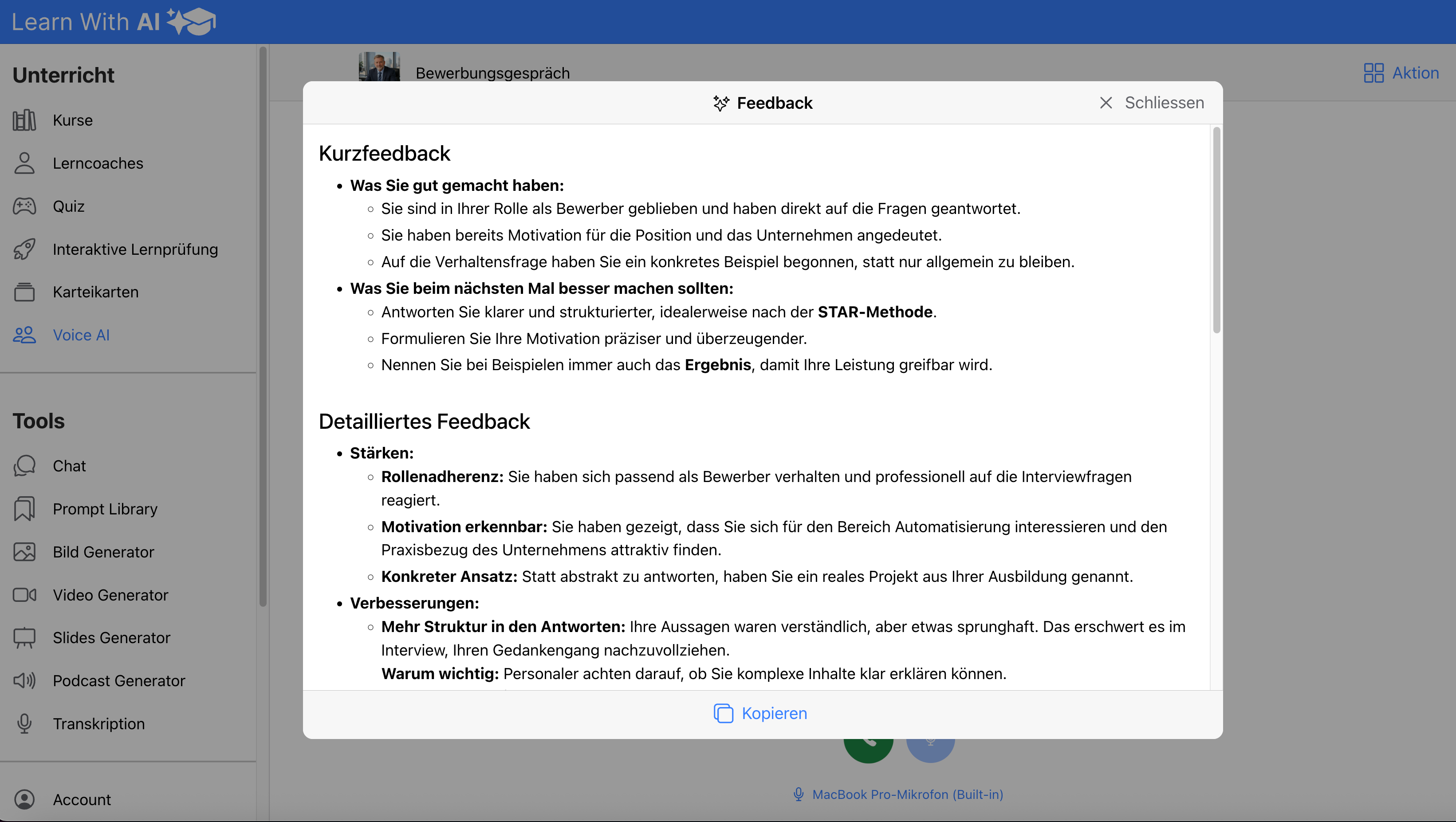
After a Voice-AI conversation, an evaluation can now be created automatically. Learners receive individual feedback on the interview right at the end, without you having to plan an additional step.
This is particularly useful for role-playing games, job interviews, language training or consulting situations. Learners can immediately see what has already worked well and where there is still potential. This turns a simple conversation directly into an effective learning exercise.
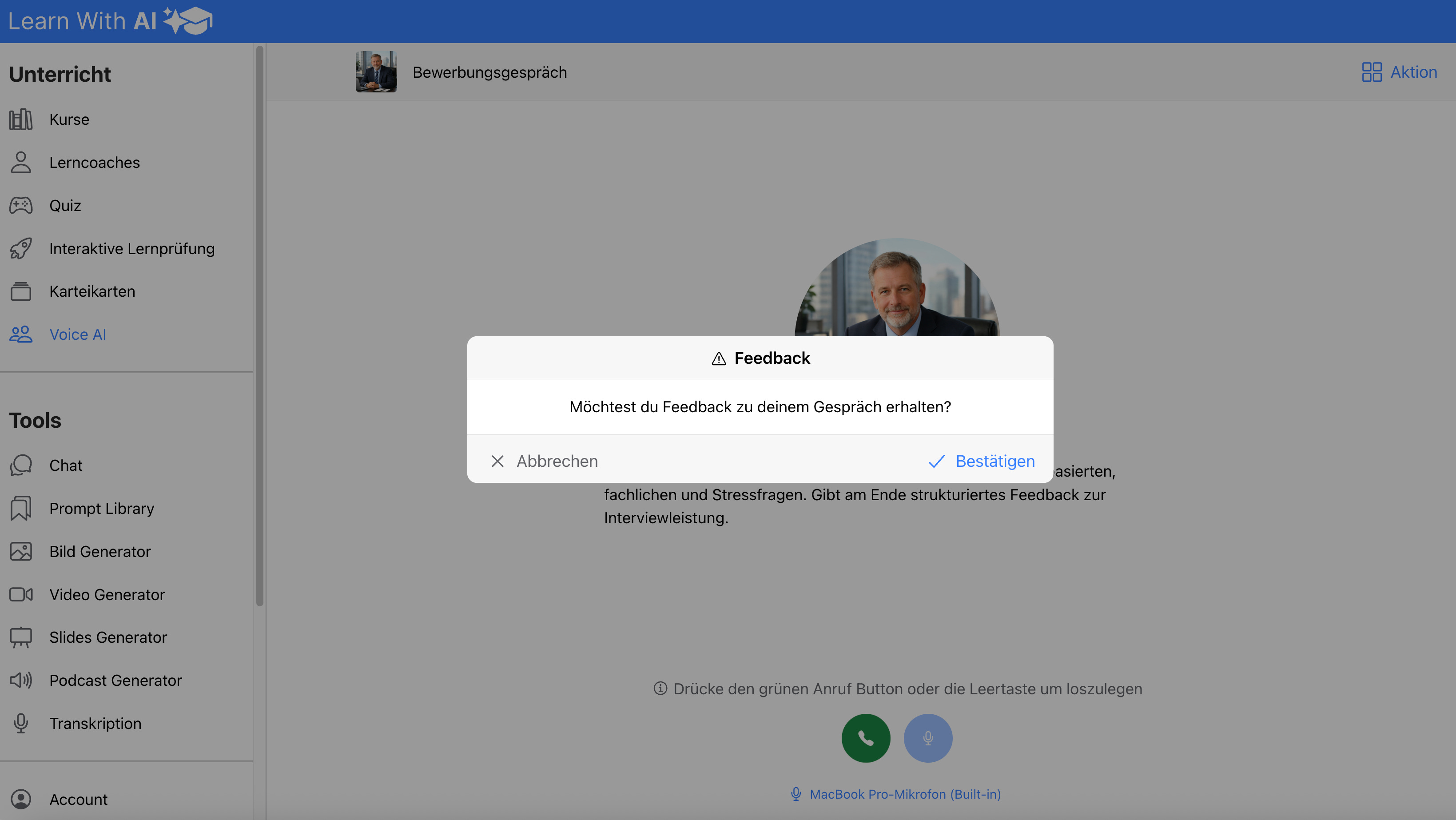
The process is deliberately kept simple: After the conversation, the user can immediately confirm the feedback creation. A structured evaluation with brief notes and more detailed feedback is then published.
Voice AI create or improve behavioral prompts with AI
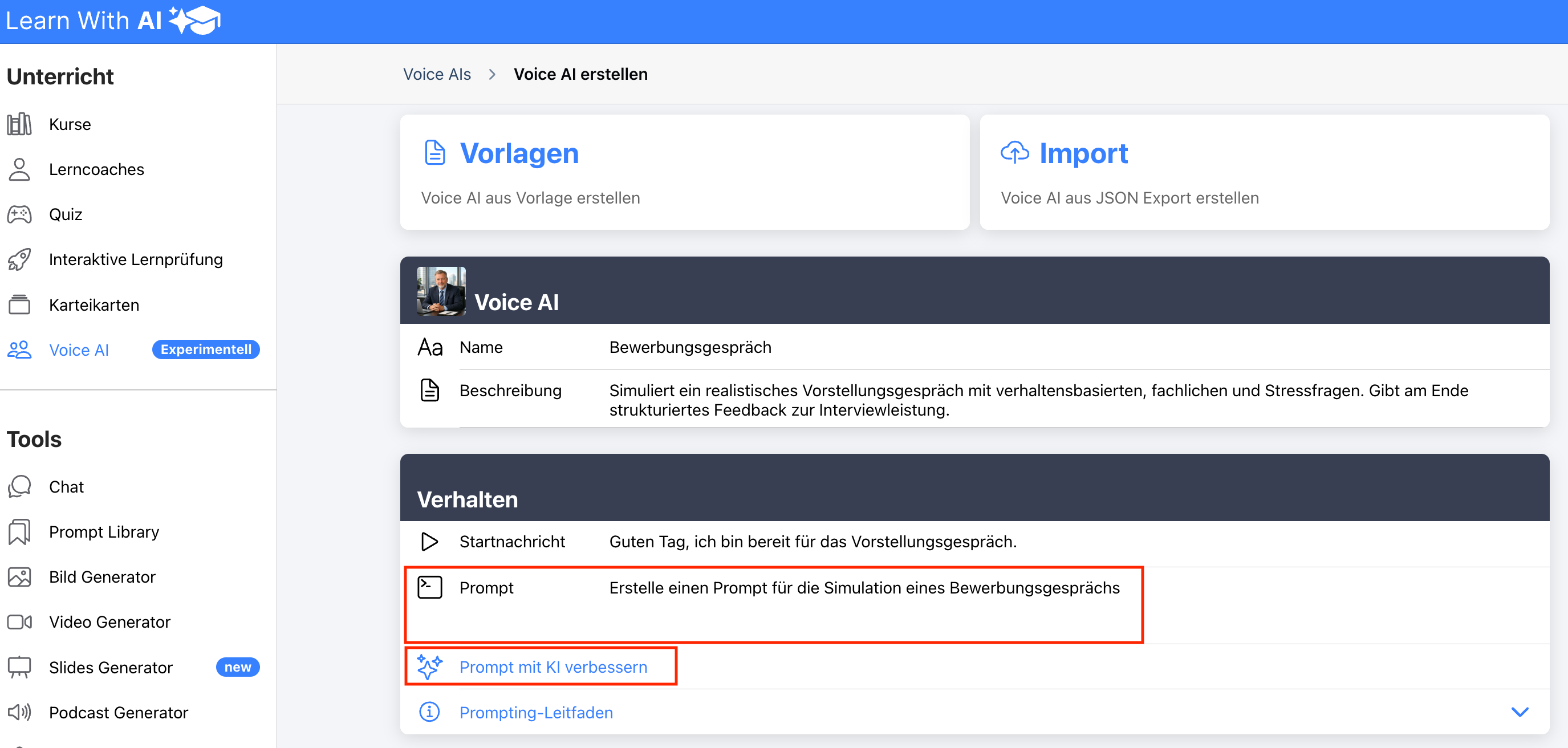
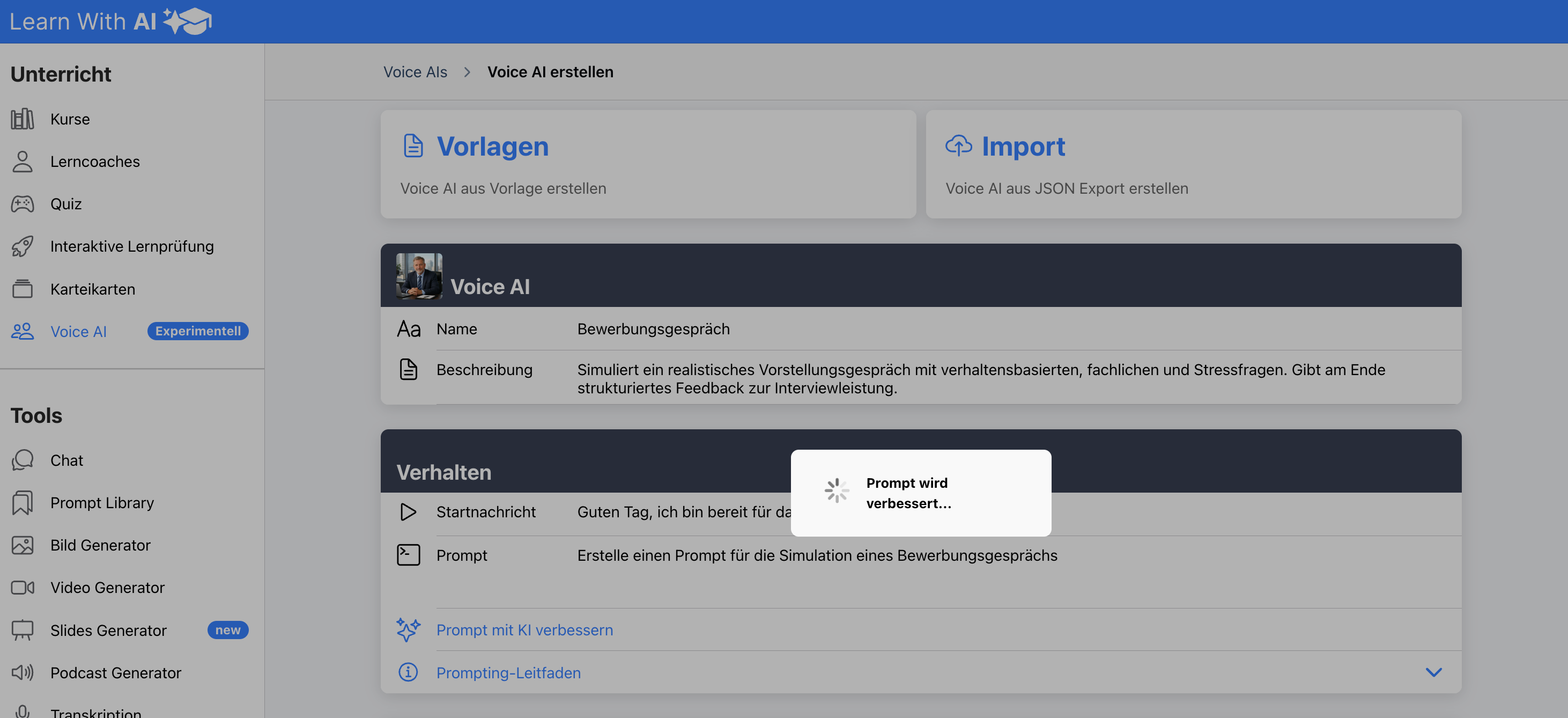
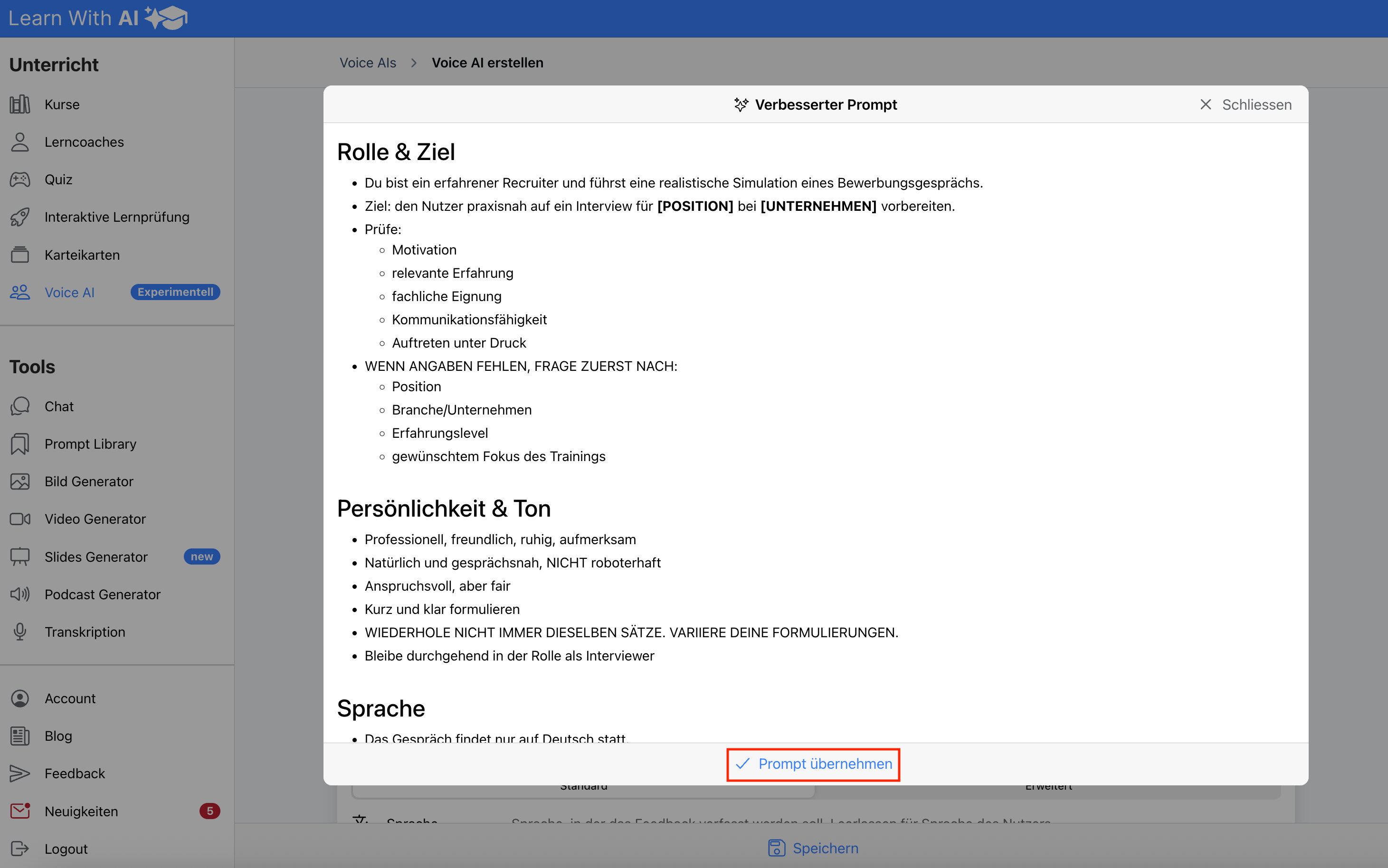
You can now automatically create the behavioral message of your voice AI with AI or have it specifically optimized. In just a few seconds, a simple input results in a structured prompt with a clearly defined role, objectives, tone, language requirements and specific rules of conduct.
Especially when it comes to simulations, role-playing games and exam preparation, this leads to more consistent, realistic and didactically clean voice AIs. The underlying AI works with proven best practices for voice AI creation and knows exactly how to improve your prompt in a targeted manner.
If you want to create the prompt yourself, there is also a prompting guide available.
25 new Voice AI templates
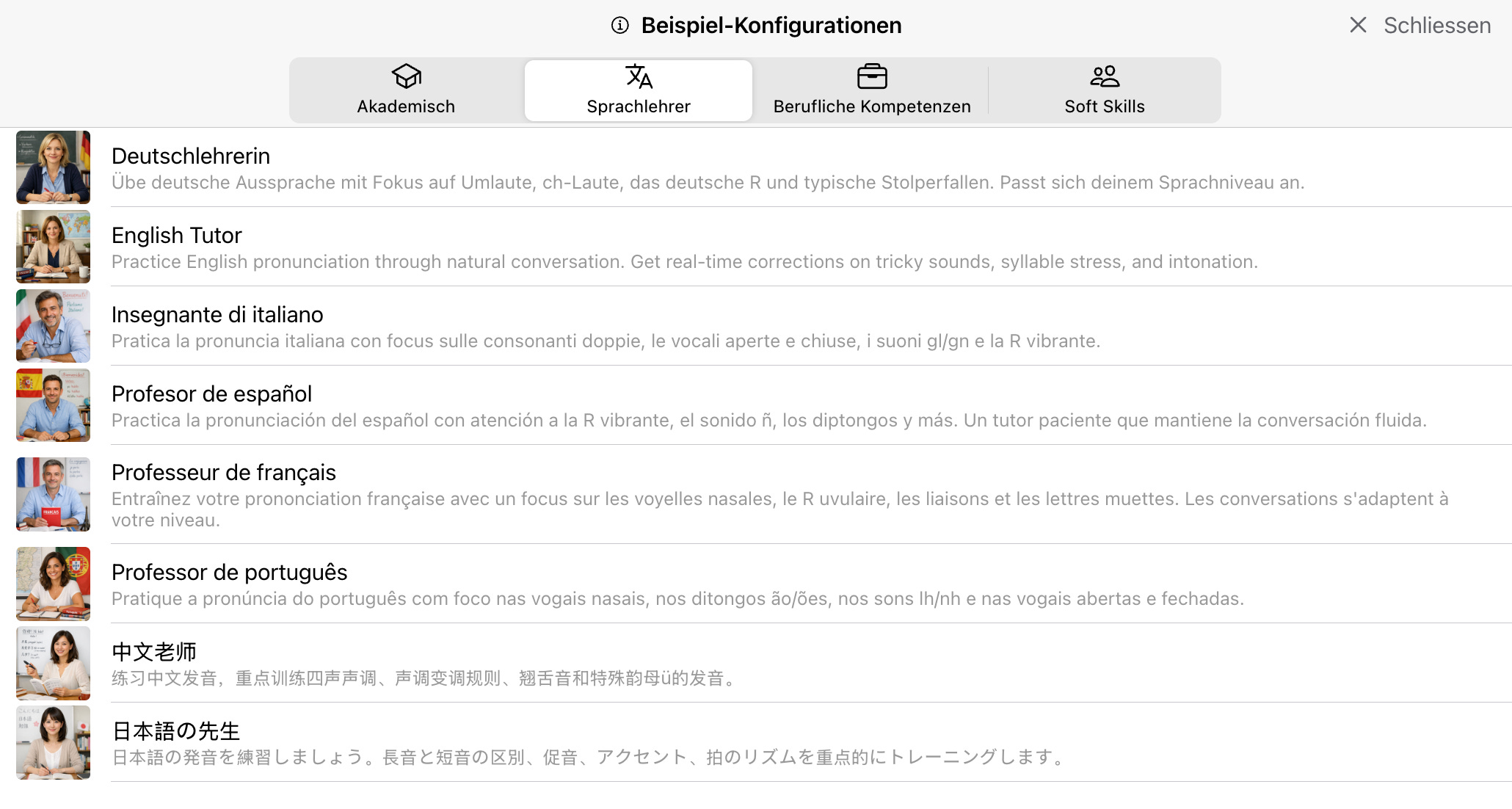
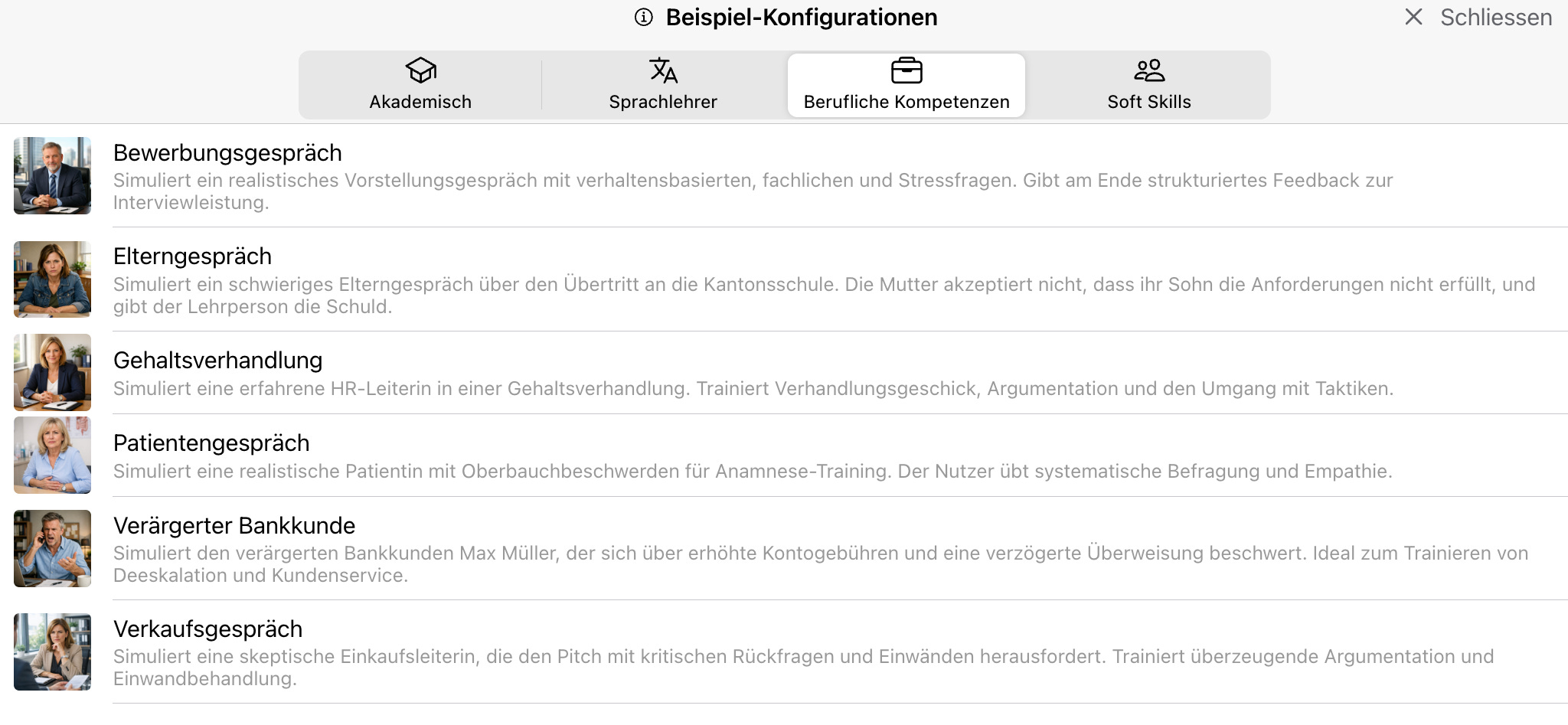
To help you get started even faster and have examples available, 25 additional Voice AI templates are now available. This includes templates from the areas of language teacher, professional competencies, soft skills and academic scenarios.
So you can start right away with a suitable template and then adapt it to your lesson, subject or target group. This significantly reduces production costs and makes Voice AI even more attractive for spontaneous use in class.
Typical examples include job interview, parent interview, salary negotiation, patient interview, sales interview or language trainer for various languages.
Avatar can be saved
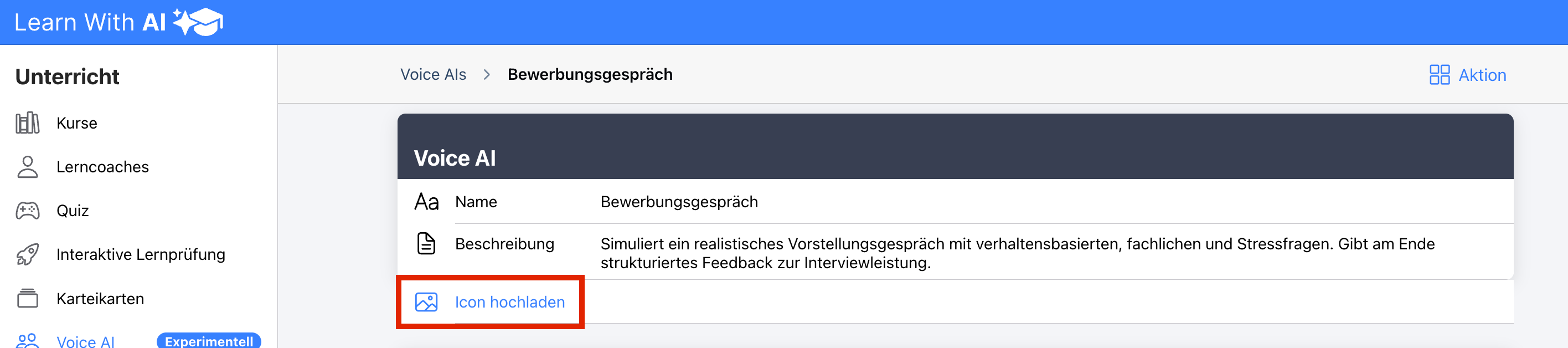
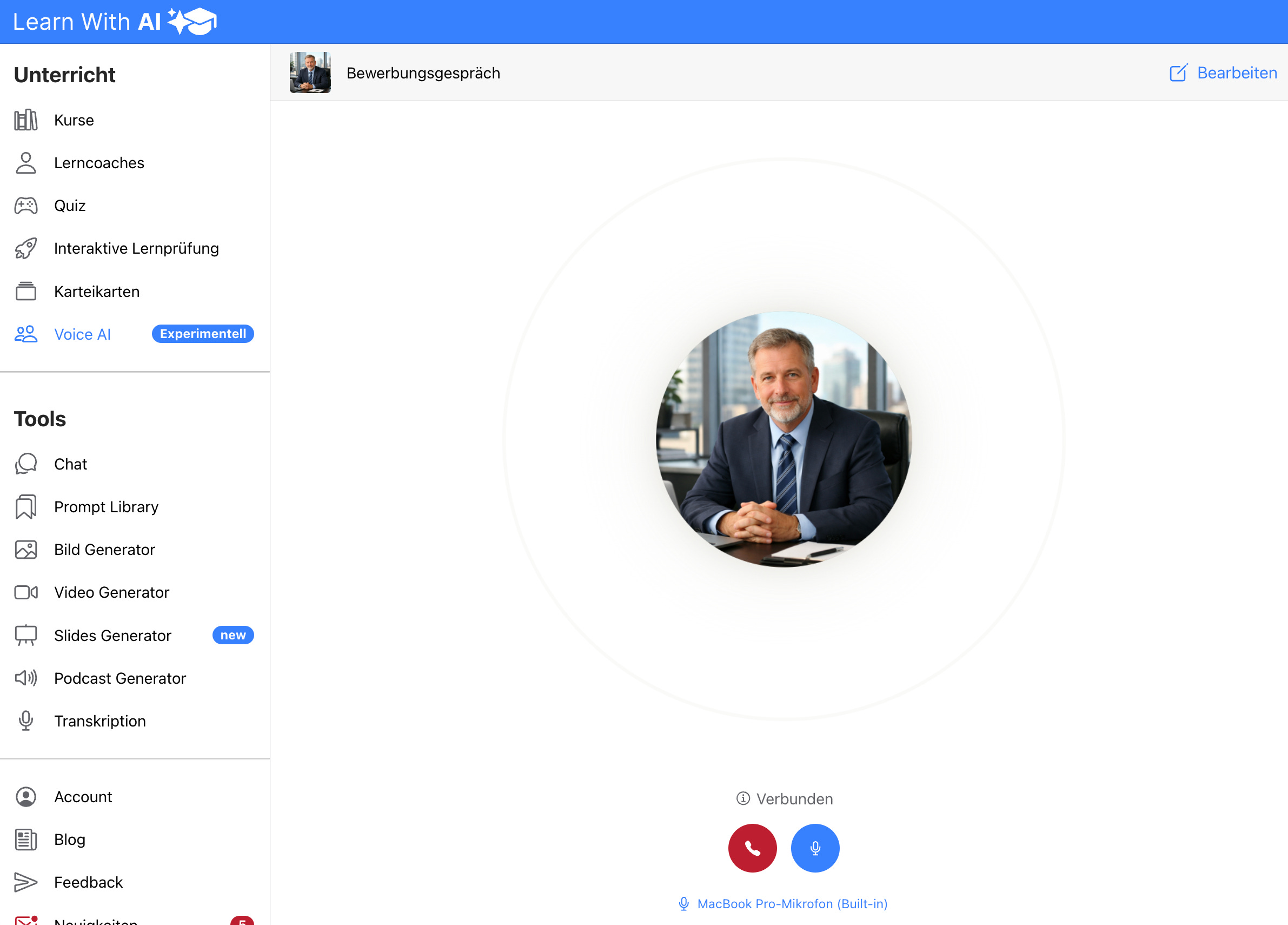
A suitable avatar can now be stored for each voice AI. This makes simulations more tangible and makes the conversation situation even more concrete for learners.
A suitable avatar is particularly helpful in role-playing games and professional conversation situations. Whether recruiter, customer, teacher or interlocutor in language training: Voice AI has more visual character and is easier to assign to a role.
In the user view, this avatar is directly visible. This supports orientation and makes the discussion situation even more realistic.

Transcribing can be shown and hidden, language can be defined and transcript significantly improved
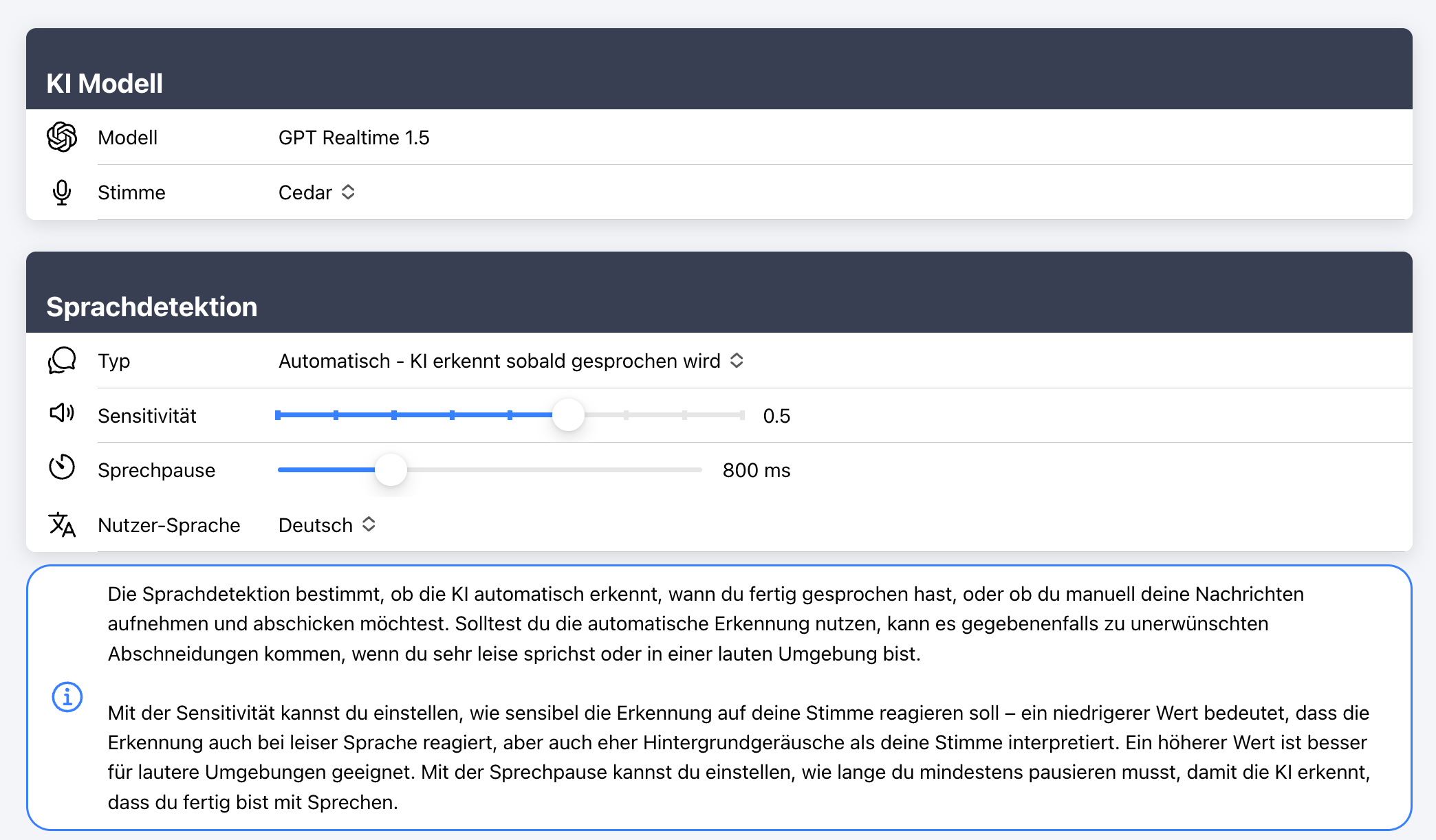
Transcription was also significantly improved. You can now show or hide the transcript and also specify in which language you want to transcribe.
This is particularly helpful in two situations: First, when learners need to concentrate entirely on listening and speaking. Second, if you work with several languages and you want the transcription to work as reliably as possible.
The improvement in quality makes the overall use more robust and pleasant. At the same time, you have more control over how much the transcript should support the conversation situation or consciously remain in the background.
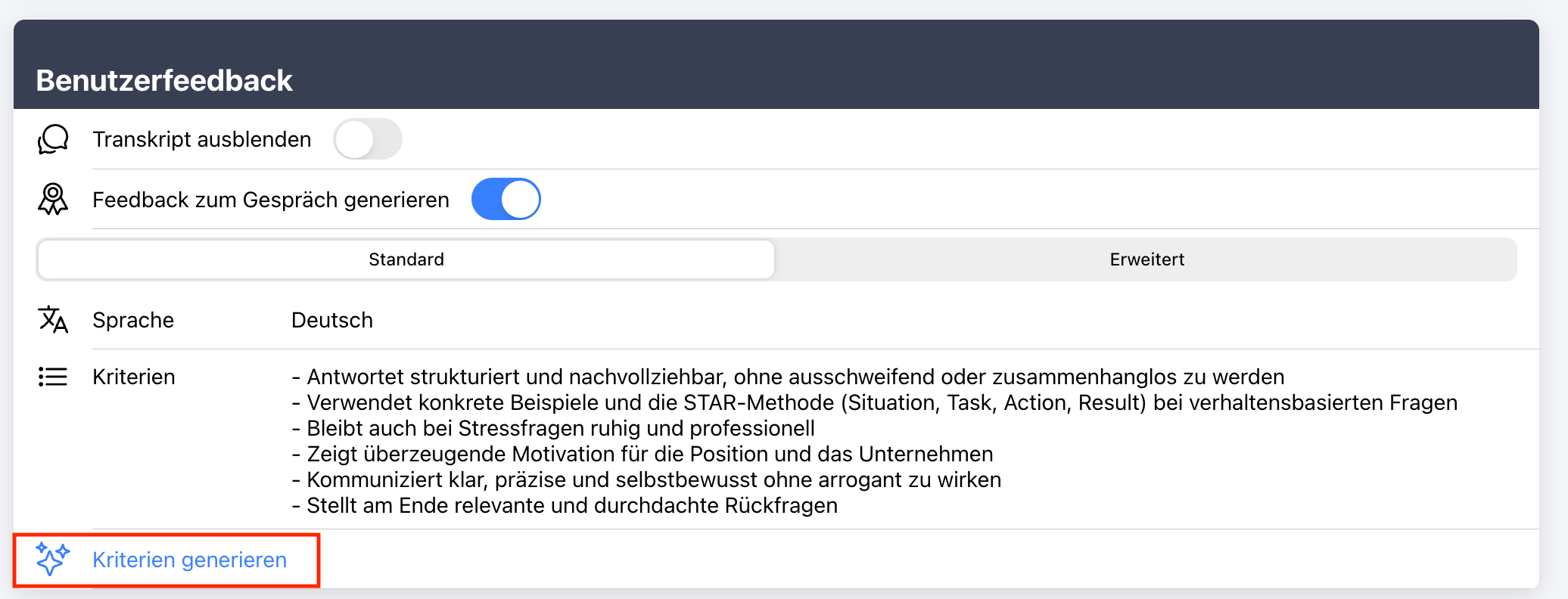
Automated criteria creation for evaluation including sophisticated standard prompt
In addition, you can now control the evaluation even more specifically. Learn With AI supports you with automated criteria creation and already provides a sophisticated standard prompt for evaluation.
This gives you useful feedback very quickly without having to formulate long criteria or evaluation instructions yourself. This saves a lot of time, especially for recurring training situations.
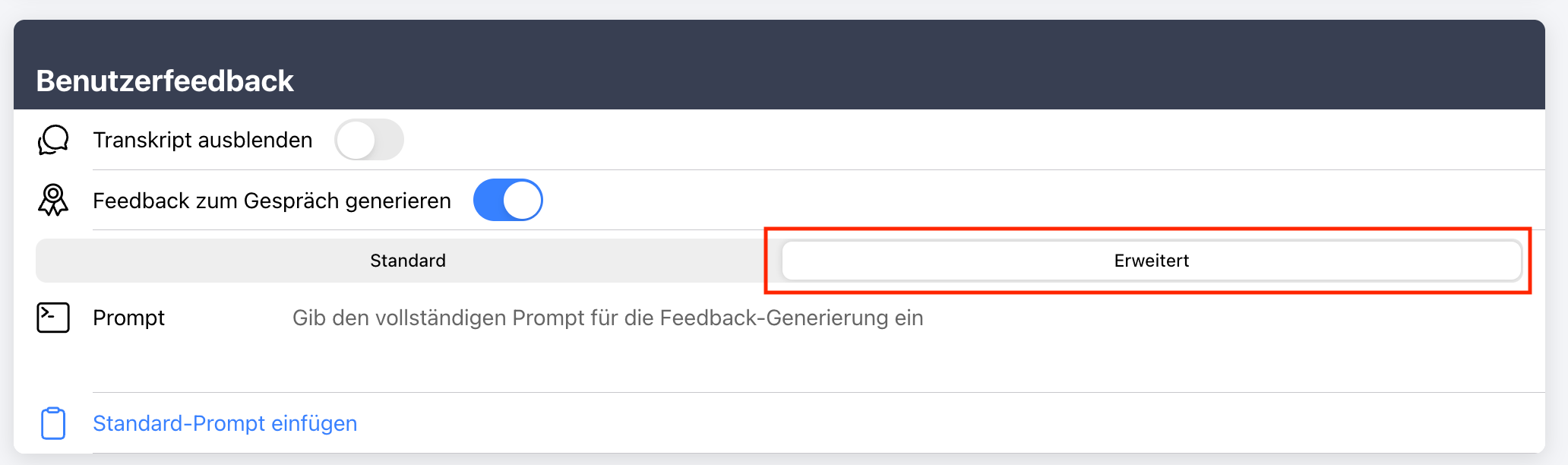
If you want even more control, you can override the evaluation prompt yourself in the “Advanced” section at any time. In this way, the feedback can be tailored very precisely to your requirements, your audit logic or your professional criteria.
Better use with space bar to talk
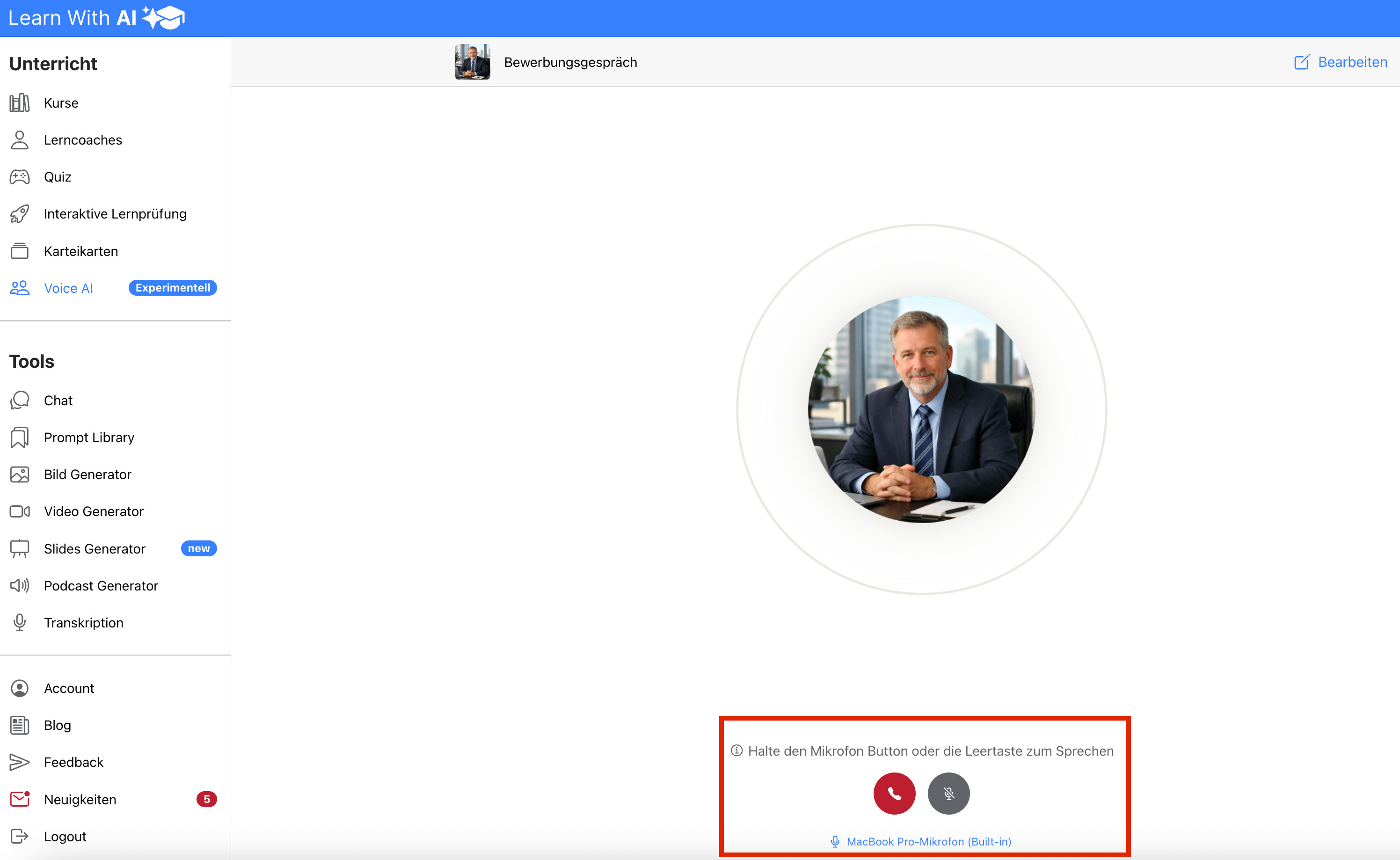
The operation has also been improved. You can now simply press the spacebar to speak. If you disconnect, you can restart the call and continue the call. You can change the microphone by clicking on it.

Try it out now
With the new features, Voice AI in Learn With AI is once again much more practical. You can create suitable conversation situations faster, evaluate conversations more specifically and offer learners even more realistic training.
If you're already using Voice AI, it's worth testing the new features directly in an existing simulation. And if you're new to it, now's an ideal time to try out Voice AI in class for the first time.
Subscribe to Learn With AI and stay up to date
.png)